
How to Record a WhatsApp Call on a PC
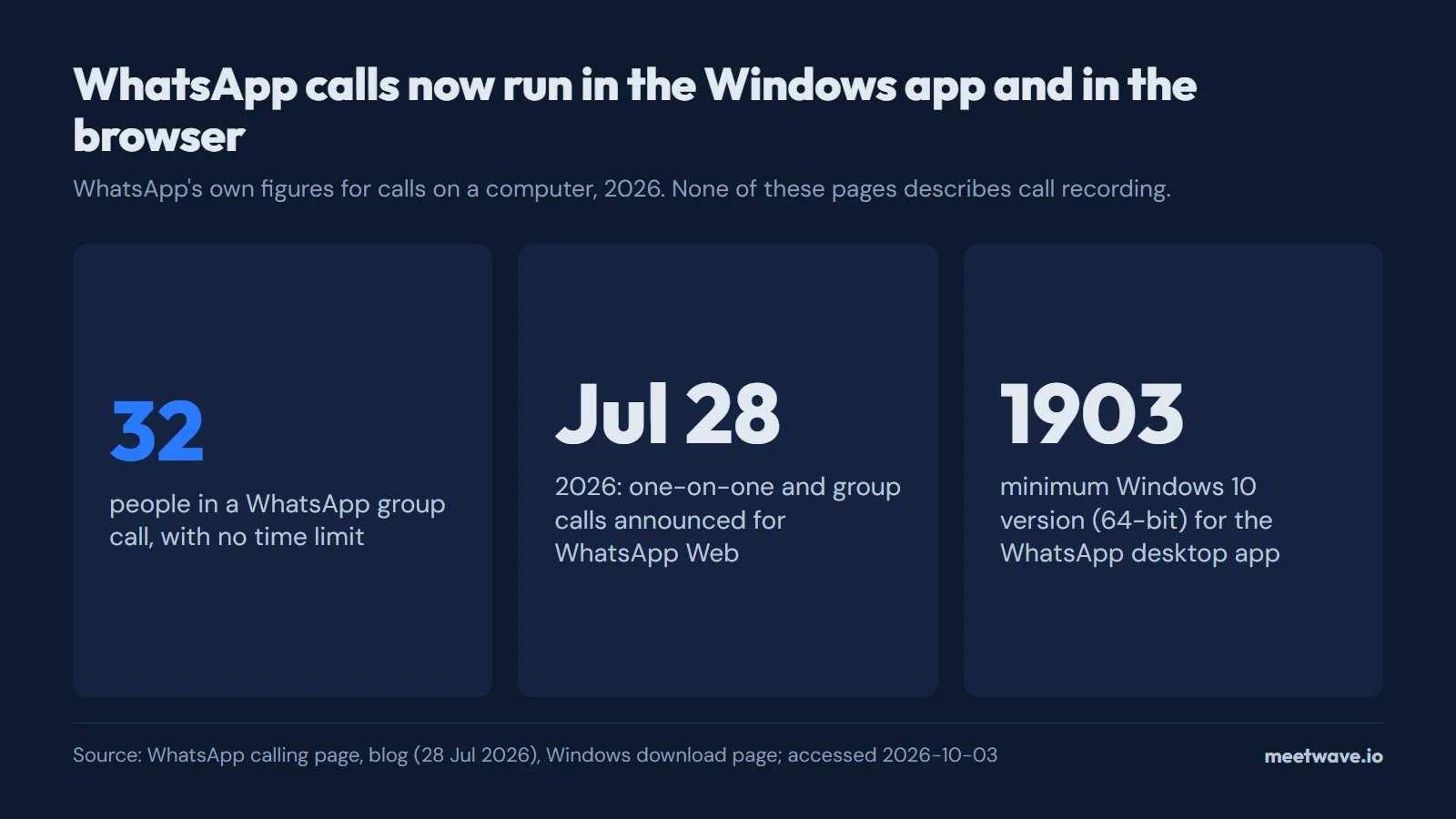
WhatsApp runs calls in its Windows desktop app and, since an announcement on July 28, 2026, in WhatsApp Web in the browser, but neither its calling page nor that announcement describes a way to record a call. On a PC you record the call yourself: a Windows recorder that captures system audio picks up the desktop app's sound, and a tab recorder in Chrome can record the web.whatsapp.com tab. Tell the other person before you record a personal call.
Key numbers
- On July 28, 2026, WhatsApp announced one-on-one and group audio and video calls directly from WhatsApp Web, rolling out gradually (WhatsApp blog, 2026).
- WhatsApp group calls hold up to 32 people, with no time limit (WhatsApp calling page, 2026).
- WhatsApp names 5 kinds of device for calls (iOS, Android, Mac, iPad and Windows) plus the web browser (WhatsApp calling page, 2026).
- The WhatsApp desktop app for Windows needs 64-bit Windows 10, version 1903 or later (WhatsApp download page, 2026).
Does WhatsApp record calls?
No recording feature is described in WhatsApp's own pages. The calling page covers group size, screen sharing and end-to-end encryption, and the July 28, 2026 announcement covers web calls, reactions and a Calls tab; neither mentions saving a call (WhatsApp calling page, WhatsApp blog). Calls are end-to-end encrypted, which WhatsApp says means "not even WhatsApp can see them" (WhatsApp calling page).
What changed in 2026 is where a call can run on a computer: WhatsApp Web now places calls "without leaving the browser you're already on" (WhatsApp blog). The Star reported the rollout on 29 July 2026, quoting WhatsApp that the features "are currently rolling out to all users" (The Star, 2026). Figure 1 sums up the numbers.
Figure 1. WhatsApp calls now run in the Windows app and in the browser, in groups of up to 32. Source: WhatsApp calling page, WhatsApp blog (28 July 2026), WhatsApp download page, accessed 2026-10-03.
| Where the call runs | Does WhatsApp record it? | How to record it from a PC |
|---|---|---|
| WhatsApp desktop app on Windows | No recording feature described | A recorder that captures system audio and the microphone |
| WhatsApp Web in Chrome (any computer) | No recording feature described | A Chrome extension that records the tab |
| WhatsApp desktop app on Mac | No recording feature described | Not covered here: open WhatsApp Web in Chrome instead |
| WhatsApp on the phone | No recording feature described | Not covered here |
Source: WhatsApp calling page, WhatsApp blog, accessed 2026-10-03.
Record a WhatsApp call in the Windows desktop app
A recorder that captures system audio does not need anything from WhatsApp. It records what your speakers play, which is the other person's voice, and your microphone, which is yours.
MeetWave's Windows app works this way: it captures system audio from any app together with your microphone, so the sound of a call in the WhatsApp desktop app is recorded like the sound of any other call app. The steps:
- Install the Windows app and sign in.
- Start or answer the call in the WhatsApp desktop app.
- Start recording in the Windows app.
- Stop when the call ends. The recording is uploaded, transcribed and turned into a summary with action items.
Recordings are uploaded to your MeetWave account and transcribed on our servers; the audio, transcript and summary are stored encrypted in your account, so you can reopen them on any computer at app.meetwave.io. The free plan includes 600 minutes a month and 25 summaries; on Free you get the summary and action items, while the full transcript is on paid plans (pricing).
Record a WhatsApp Web call in Chrome
The second route works on any computer with Chrome, a Mac included. Open web.whatsapp.com in Chrome, start the call there, then open the Chrome extension's popup on that tab and start recording. The extension can record any Chrome tab, but it detects calls by itself only on Google Meet, Teams and the Zoom web client, so on WhatsApp you start and stop the recording yourself. Figure 2 shows both routes.
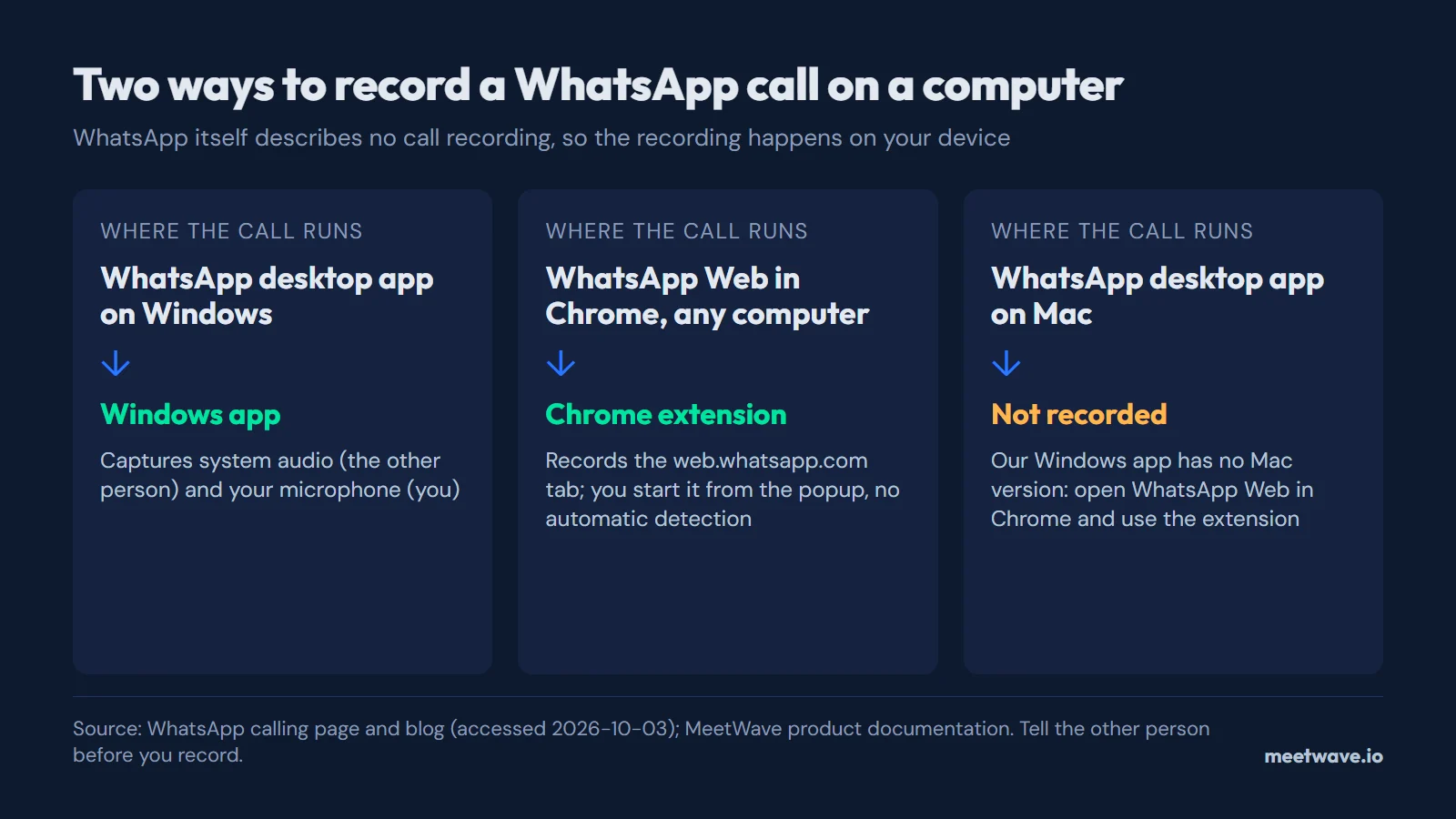 Figure 2. Two ways to record a WhatsApp call on a computer, and the one setup that is not covered. Source: WhatsApp calling page and blog (accessed 2026-10-03); MeetWave product documentation.
The same two routes cover other call apps without a recording button, such as Discord calls. For Zoom and Teams meetings someone else hosts, see how to record a Zoom or Teams meeting when you're not the host.
What this does not do
- It does not record the WhatsApp desktop app on a Mac: the Windows app has no Mac version. Use WhatsApp Web in Chrome there.
- It does not record calls on your phone.
- The Chrome extension does not detect a WhatsApp Web call: you start and stop each recording.
- It does not turn a WhatsApp voice message into text. For that, save the message as a file and use the voice recording transcription tool, which accepts WhatsApp's .opus files.
Tell the other person first
A WhatsApp call is usually personal, and the person on the other end does not expect it to be saved. WhatsApp's pages describe no recording notice for calls, so telling them is on you. Rules on recording a conversation apply to the act of recording, not to the app, and they differ by country and state: check the law where you and the other person are. Say at the start that you are recording and why, and stop if they object. More on who can see a recorder, and when, is in do AI note takers show up in the participant list.
Recording routes for other meeting apps are collected in how to record online meetings.
FAQ
Can WhatsApp record calls by itself?
Not according to its own pages: WhatsApp's calling page and its July 28, 2026 web-calling announcement describe no call recording (WhatsApp calling page). To keep a call, record it on your device.
Can I make WhatsApp calls from a browser?
Yes. WhatsApp announced one-on-one and group audio and video calls in WhatsApp Web on July 28, 2026, rolling out gradually (WhatsApp blog). If the call buttons are missing in your browser, the rollout may not have reached your account yet.
Can I record a WhatsApp video call on a PC?
You can record what both of you say: a system-audio recorder on Windows or a tab recorder in Chrome captures the sound of the call, and the result is a transcript and a summary of the conversation.
Can I record a WhatsApp call on a Mac?
Not in the Mac desktop app with the tools above. Open WhatsApp Web in Chrome and record the tab with the extension; WhatsApp says its calls can be taken "from your web browser" (WhatsApp calling page).
Will the other person know I'm recording?
Do not count on WhatsApp to tell them: its pages describe no recording notice for calls. Tell them yourself before you start.
Sources
- WhatsApp — Introducing Web Calling on WhatsApp, Plus More New Updates (2026). Accessed 2026-10-03.
- WhatsApp — Calling (2026). Accessed 2026-10-03.
- WhatsApp — Download WhatsApp for Windows (2026). Accessed 2026-10-03.
- The Star — WhatsApp Web now supports voice and video calls (2026). Accessed 2026-10-03.
Record the call without adding a bot to it.
Includes 14 days of Pro. No card.
Still comparing tools?
See how MeetWave stacks up against the tools most teams evaluate alongside it.
- MeetWave vs GranolaSee how MeetWave compares to Granola for bot-free meeting notes
- MeetWave vs TactiqSee how MeetWave compares to Tactiq for meeting transcripts
- MeetWave vs NottaSee how MeetWave compares to Notta for meeting transcription