How to Record a Google Meet: Plans, Missing Record Button, Not the Host
Google Meet records only on the Workspace editions Google lists, such as Business Standard, Business Plus and Enterprise Plus, or with Google One at 2 TB or more, and only when the host has permission to record and the admin has turned recording on (Google Meet Help, read 2026-11-09). If the Record option is missing, it is usually one of those three. On any other account, record the Chrome tab yourself after telling everyone. Do record: one week after a conversation, both partners together recalled only 4.7% of its details.
Why the Record button is missing
The cause is almost never the call itself. Google names the same short list of reasons on its help pages, and each one has a different person who can fix it. The table puts them in the order to check, from Google Meet Help and the Workspace admin help, read on 2026-11-09.
| Cause | What to check | Who can fix it |
|---|---|---|
| Your edition is not on the list | Recording is only available for meetings organized by certain Workspace editions, or a Google One plan with 2 TB or more | The organizer or the account owner, by changing plan |
| The admin turned recording off | Admin console, Meet video settings → Recording → Let people record their meetings; changes take up to 24 hours | Your Workspace admin |
| The host has no permission | Even with permission yourself, you cannot record if the host lacks it | The host or the admin |
| You are outside the host's organization | People from another organization cannot record, unless the host makes them co-host | The host |
| Host Management is on | With it on, a participant from the host's organization cannot record unless the host allows it | The host |
| Breakout room | Breakout rooms do not support recording; record from the main meeting | You |
| You joined only to present | Join the meeting first, start presenting, then record | You |
| Drive is off or full | Drive must be on, and both your Drive and your organization's need free space | Your admin, or you |
| Not a computer | Google's pages say a computer; the recording page also lists Android | You |
| macOS Sequoia screen prompt | If you dismissed Chrome's screen-recording prompt, allow Chrome in System Settings | You |
Source: Google Meet Help, Record a video meeting and Troubleshoot recording issues; Google Workspace Admin Help, Turn Meet recording on or off (2026).
The first row decides most cases. Google's recording page lists 10 Workspace editions and one Google One tier (Google Meet Help); Figure 1 counts them. Education editions have extra limits: Education Fundamentals and Education Standard users cannot record meetings they organize.
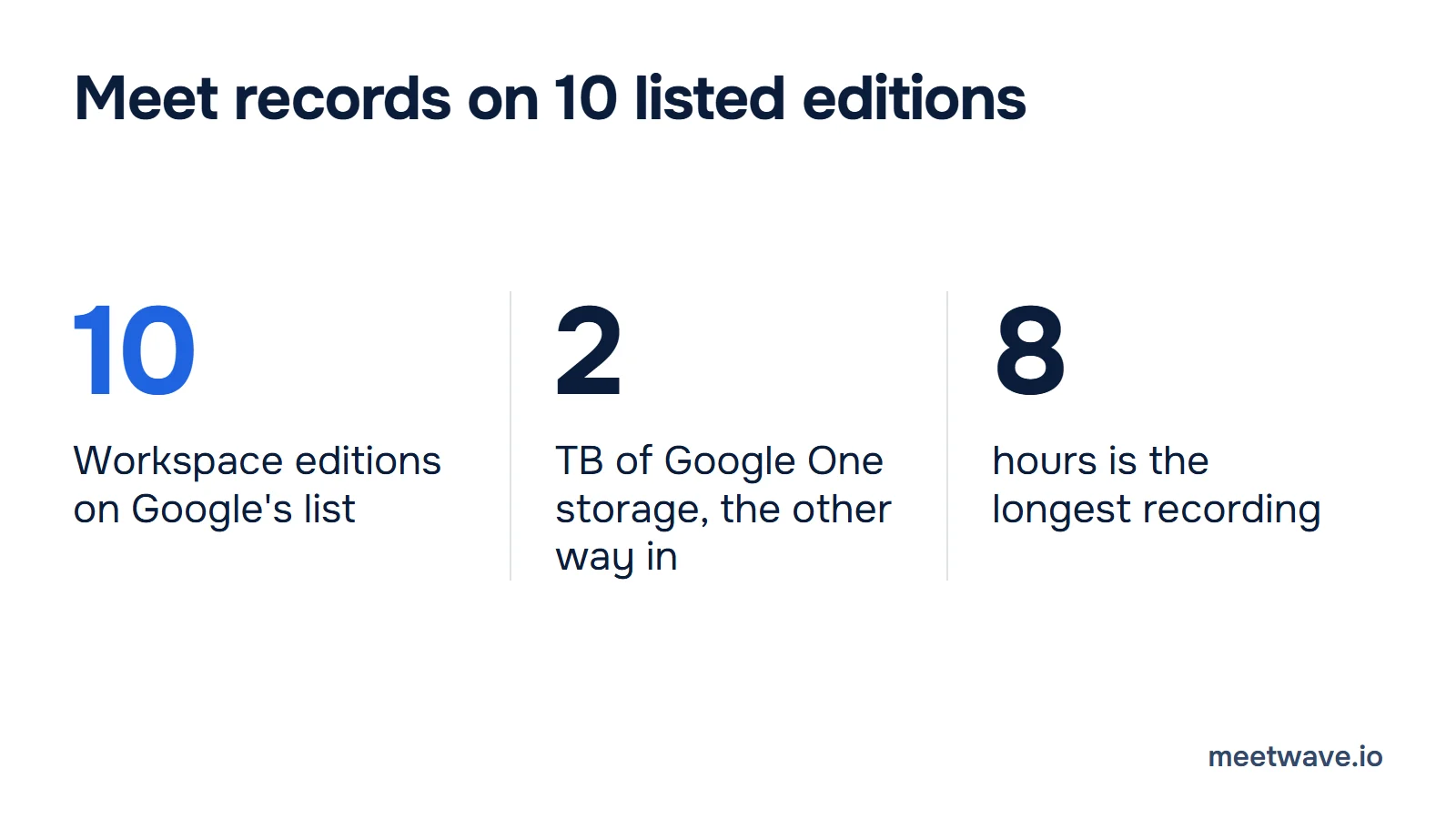
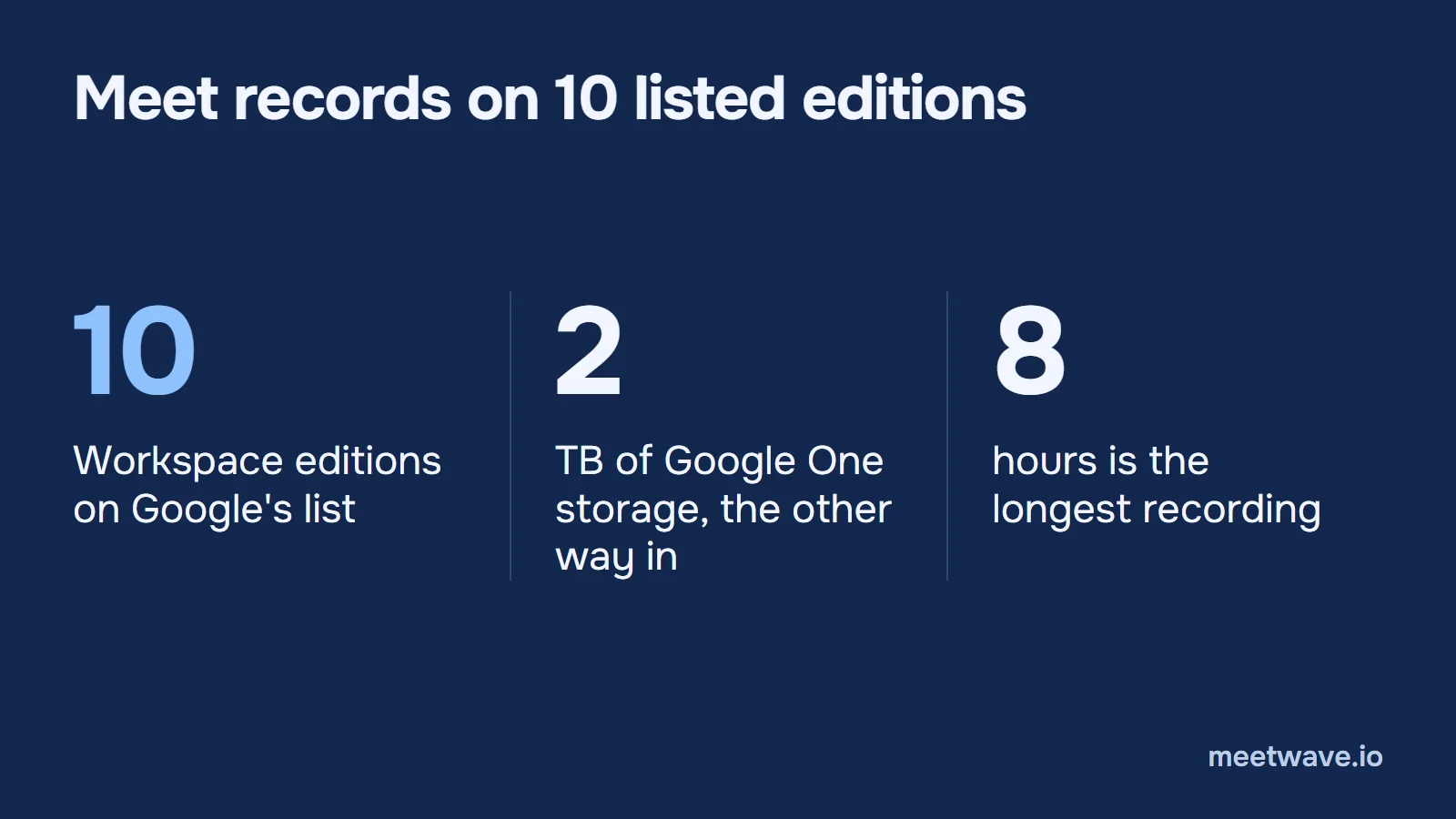 Figure 1. What Google's recording page lists: 10 Workspace editions, Google One at 2 TB or more, and an 8-hour limit per recording. Source: Google Meet Help, read 2026-11-09.
The editions on the list are Business Standard, Business Plus, Essentials, Enterprise Starter, Enterprise Essentials, Enterprise Standard, Enterprise Plus, Education Plus, Teaching and Learning Upgrade and Workspace Individual Subscriber (Google Meet Help). Anything not named there has no Record option: Google's page does not list Business Starter or a free personal account.
How to record when you can
Open the meeting on a computer and use the Meeting tools menu. Google's steps, in order (Google Meet Help):
- Click Start or Join.
- At the bottom right, click Meeting tools, then Recording.
- Click Start recording, then Start in the pop-up.
- Wait for the recording to begin. Participants are notified when it starts and stops.
- To end it, open Meeting tools → Recording → Stop recording and confirm. It also stops when everyone leaves, and after 8 hours (Google Meet Help).
The file goes to the organizer's Google Drive, in a folder named "Google Meet" with a sub-folder per meeting. The organizer and the person who started the recording get an email with the link, and the link is added to the Calendar event (Google Meet Help). The recording is not ready the moment the call ends: Drive shows "Still processing" until it can be viewed (Google Meet Help). Google does not state how long that takes. Google's admin page says recordings are saved for three months by default (Google Workspace Admin Help).
Meet's own recording is a video and a Drive file. The transcript is a separate feature with its own plan list, covered in Google Meet transcripts. Meet's AI notes are covered in the Google Meet note taker guide.
Recording as a participant
A participant can record only if the host allows it. Google says anyone can record in a meeting where the host has recording permission, and that you cannot record if the host lacks it (Google Meet Help). Three cases:
- Same organization, Host Management off: you can start the recording from Meeting tools like the host.
- Another organization: you cannot record, unless the host makes you co-host (Google Meet Help).
- Host Management on: the host has to allow it; ask in the chat or out loud (Google Workspace Admin Help).
Two things surprise people. The file lands in the organizer's Drive, not yours, and the organizer gets the link by email too (Google Meet Help). If you are a guest, ask the organizer to share it. On a phone, Google's recording page says a recording can only be made on a computer or an Android device (Google Meet Help).
On any plan, including personal Gmail
When Meet's recorder is out of reach, record what your own computer plays. MeetWave does this without a bot: Meet runs in the browser, so the Chrome extension records the Meet tab on macOS, Windows, Linux and ChromeOS, and on Windows the desktop app also captures the computer's audio (MeetWave). Nothing joins the participant list, so you tell people. The extension can post a recording notice in the meeting chat, one switch in its settings (how no-bot recording works).
What a recording keeps that memory drops
A demo project status call shows what is lost. Two decisions were made in it: keep the November 9 launch, and use the new payment flow at launch. The second decision also records why the old checkout was dropped: running two payment integrations during the freeze. A week later, two people rarely agree on that reason (demo notes).
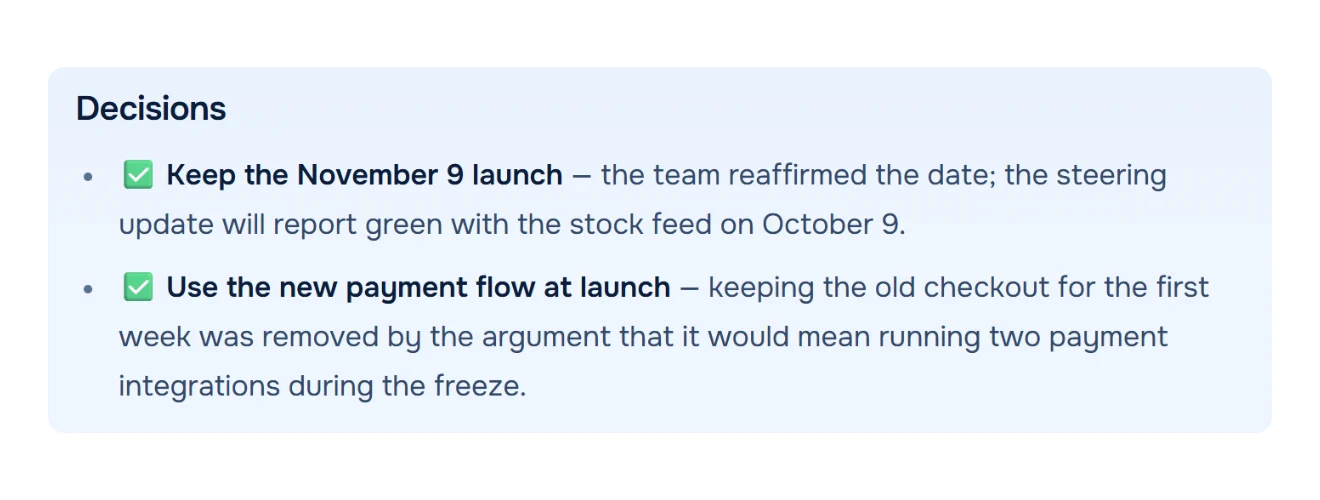
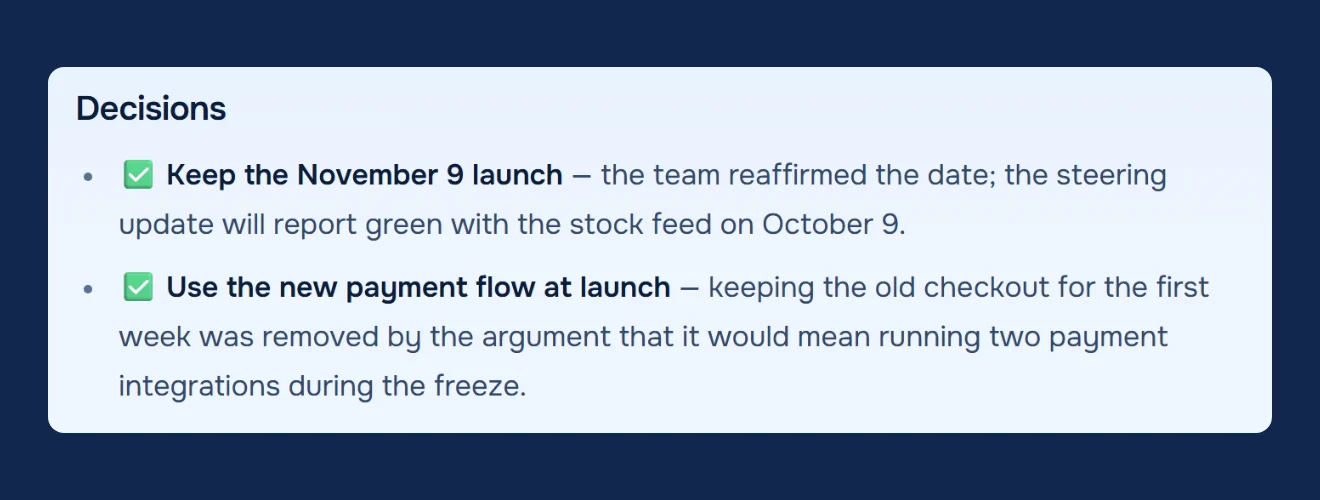 Figure 2. Demo meeting, people are fictional. The Decisions block of the notes MeetWave wrote from a demo status call, with the reason attached to each decision. Source: demo status call notes, October 2026.Analyzed with MeetWaveSee the full notesTry it on your next status meeting
The formula: after any recorded call, copy the decisions with their reason into the project channel the same day. In a study of conversation memory, only 4.7% of a conversation's details were recalled by both partners after a week, and a note written soon after raised how much was remembered (Brown-Schmidt et al., 2023).
Tell people you're recording
Record only when everyone on the call agrees, and say it at the start. Meet itself notifies participants when its recorder starts and stops (Google Meet Help); a tab recorder does not, so you do. US federal law lets a party to a conversation record it (18 U.S.C. § 2511(2)(d)), but some states require the consent of everyone: Washington makes it unlawful to record a private conversation over a device "without first obtaining the consent of all the participants" (RCW 9.73.030). Other countries have their own rules. This is not legal advice.
If someone says no, take notes the same way: write the numbers and promises down within the hour.
When the Record button is missing: a checklist
Copy it into your notes, and go through it before the call starts.
Edition: is my plan, or the organizer's, on Google's recording list (or Google One at 2 TB+)?
Admin: is Recording on in Meet video settings? Ask the admin; changes take up to 24 hours.
Host: does the host have permission? Ask them to allow it, or to make me co-host if I am from another organization.
Place: main meeting, not a breakout room; joined first, then presented; on a computer.
Drive: Drive is on and has free space, mine and the organization's.
Who to tell: say at the start that the call is recorded; if anyone objects, stop and take notes.
After the call, a transcript turns into notes in the free meeting transcript summarizer, no account needed. Zoom and Teams have their own rules: see how to record a Zoom meeting and how to record a Teams meeting, or where each platform's transcript lives.
Key numbers
- Google Meet recording is available on 10 Workspace editions Google lists, plus Google One subscribers with 2 TB or more of storage (Google Meet Help, read 2026-11-09).
- A Meet recording stops automatically after 8 hours (Google Meet Help, read 2026-11-09).
- An admin change to the recording setting can take up to 24 hours to apply (Google Workspace Admin Help, read 2026-11-09).
- Meet recordings are kept for three months by default (Google Workspace Admin Help, read 2026-11-09).
- One week after a conversation, 4.7% of its details were recalled by both partners (Brown-Schmidt et al., 2023).
How we calculated
- Google facts are what Google's help pages state on 2026-11-09; nothing is estimated. Plans and menus change, so each line carries the date it was read (Google Meet Help).
- The count of 10 editions is Business Plus, Business Standard, Essentials, Education Plus, Enterprise Essentials, Enterprise Plus, Enterprise Standard, Enterprise Starter, Teaching and Learning Upgrade and Workspace Individual Subscriber, as the page lists them (Google Meet Help).
- The 4.7% is the abstract's figure for details recalled by both partners after one week; we read the abstract, not the full paper (Brown-Schmidt et al., 2023).
- The demo status call is a fictional meeting written for MeetWave's test set. The frame and the linked notes are one unedited run of it.
FAQ
Can you record Google Meet for free?
Not with Meet's own recorder: recording needs one of the listed Workspace editions or Google One at 2 TB or more (Google Meet Help). Free is possible by recording the Chrome tab yourself, after everyone agrees (how no-bot recording works).
Who can record a Google Meet?
The host, a co-host from another organization, and, when Host Management is off, a participant from the host's organization, provided the host has recording permission and the admin turned recording on (Google Meet Help). Teachers and co-teachers can record meetings created through Google Classroom.
Where do Google Meet recordings go?
To the organizer's Google Drive, in a "Google Meet" folder, with a sub-folder per meeting; the organizer and the person who started it get an email with the link (Google Meet Help). If the file says "Still processing", wait for it, or download it (Google Meet Help).
Why can't I record a Google Meet as a participant?
Because the host has no recording permission, you are from another organization, or Host Management is on (Google Meet Help). Ask the host to allow it, or to make you co-host.
Sources
- Google Meet Help — Record a video meeting (2026). Accessed 2026-11-09.
- Google Meet Help — Troubleshoot recording issues in meetings (2026). Accessed 2026-11-09.
- Google Workspace Admin Help — Turn Meet recording on or off for your organization (2026). Accessed 2026-11-09.
- Brown-Schmidt, S., Jaeger, C. B., Evans, M. J., & Benjamin, A. S. — MEMCONS: How contemporaneous note-taking shapes memory for conversation, Cognitive Science 47(4) (2023). Accessed 2026-11-09.
- United States Code — 18 U.S.C. § 2511 (2026). Accessed 2026-11-09.
- Revised Code of Washington — RCW 9.73.030 (2026). Accessed 2026-11-09.
Still comparing tools?
See how MeetWave stacks up against the tools most teams evaluate alongside it.
- MeetWave vs FellowSee how MeetWave compares to Fellow for meeting notes and AI summaries
- MeetWave vs GranolaSee how MeetWave compares to Granola for bot-free meeting notes
- MeetWave vs TactiqSee how MeetWave compares to Tactiq for meeting transcripts
More on this: Meeting transcripts by platform