How to Create Jira Tickets From a Microsoft Teams Meeting
No built-in path turns the spoken Teams call into Jira work items (issues) as of November 2026. The Jira Cloud app for Teams creates one work item from one chat message, and @Jira reads the meeting chat, not what was said aloud. For the call itself, take the action items out of a recording or recap, give each a row with an owner and a date, and import the rows as a CSV file. The owner-and-date step is the one with evidence: across 94 tests, plans that name when and how to act raised goal attainment with an effect of d = .65.
How to turn a Teams meeting into Jira work items
- Before the call, add the Jira Cloud app to the meeting, so the chat can create work items (Atlassian).
- During the call, when someone types a task in the meeting chat, open that message's More options and select Create work item in Jira (Atlassian).
- After the call, get the spoken action items out: the Teams recap, if your license has it, or your own notes or recording (Microsoft).
- Write one row per action item in the CSV template below: summary, owner's email, priority, due date.
- Import the file in Jira: Filters → Search work items → More actions (•••) → Import work items from CSV, then Validate before you import (Atlassian).
Steps 1 and 2 cover what was typed. Steps 3 to 5 cover what was said, which in most calls is where the work items are (Atlassian).
Five ways from Teams to Jira, and what each one reads
Four of the five methods read a chat message or a trigger you build; only a CSV import takes a list from anywhere, including the notes of a call. None of them reads the spoken call by itself. Figure 1 shows what each method takes as input (Atlassian).
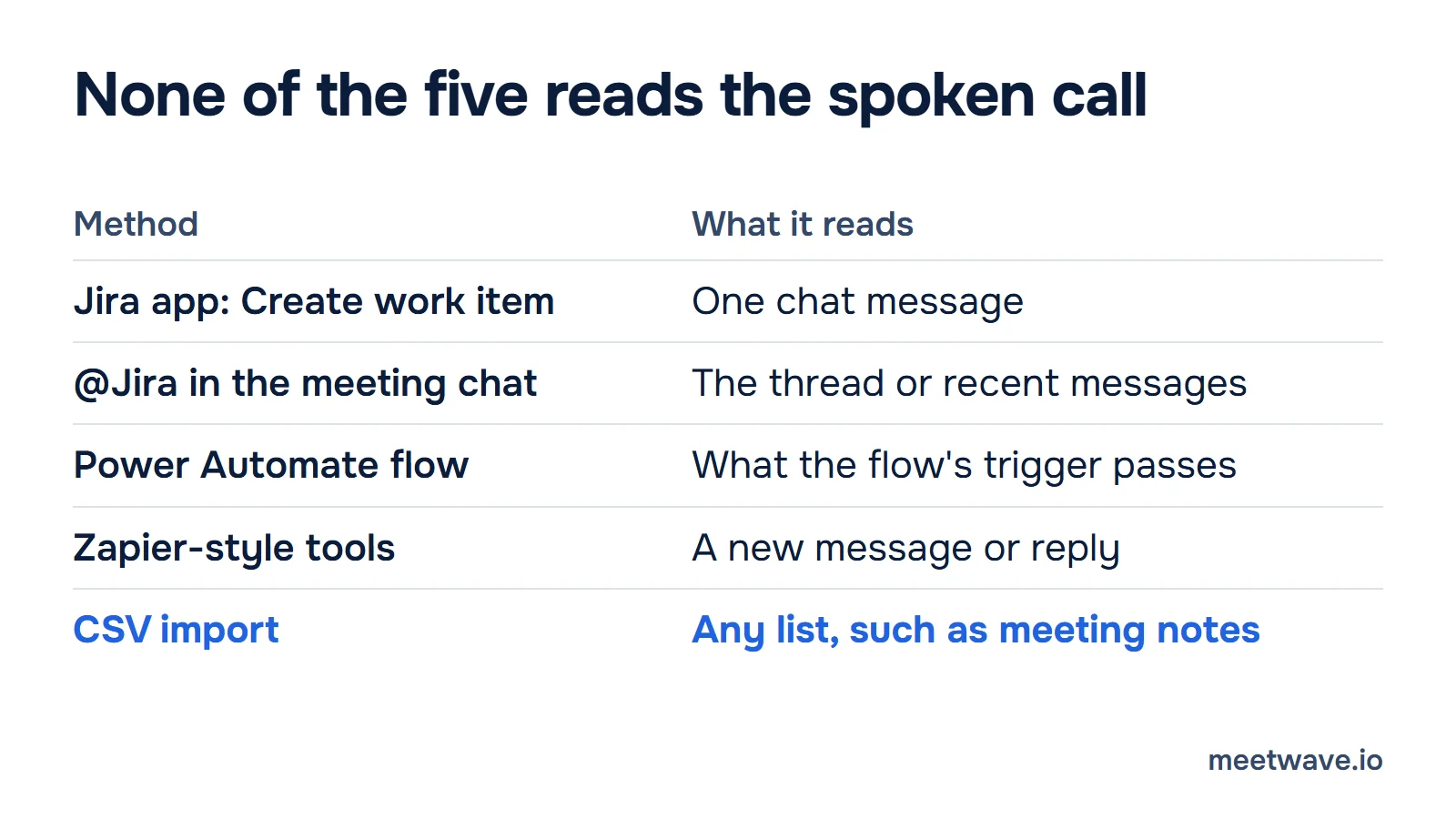
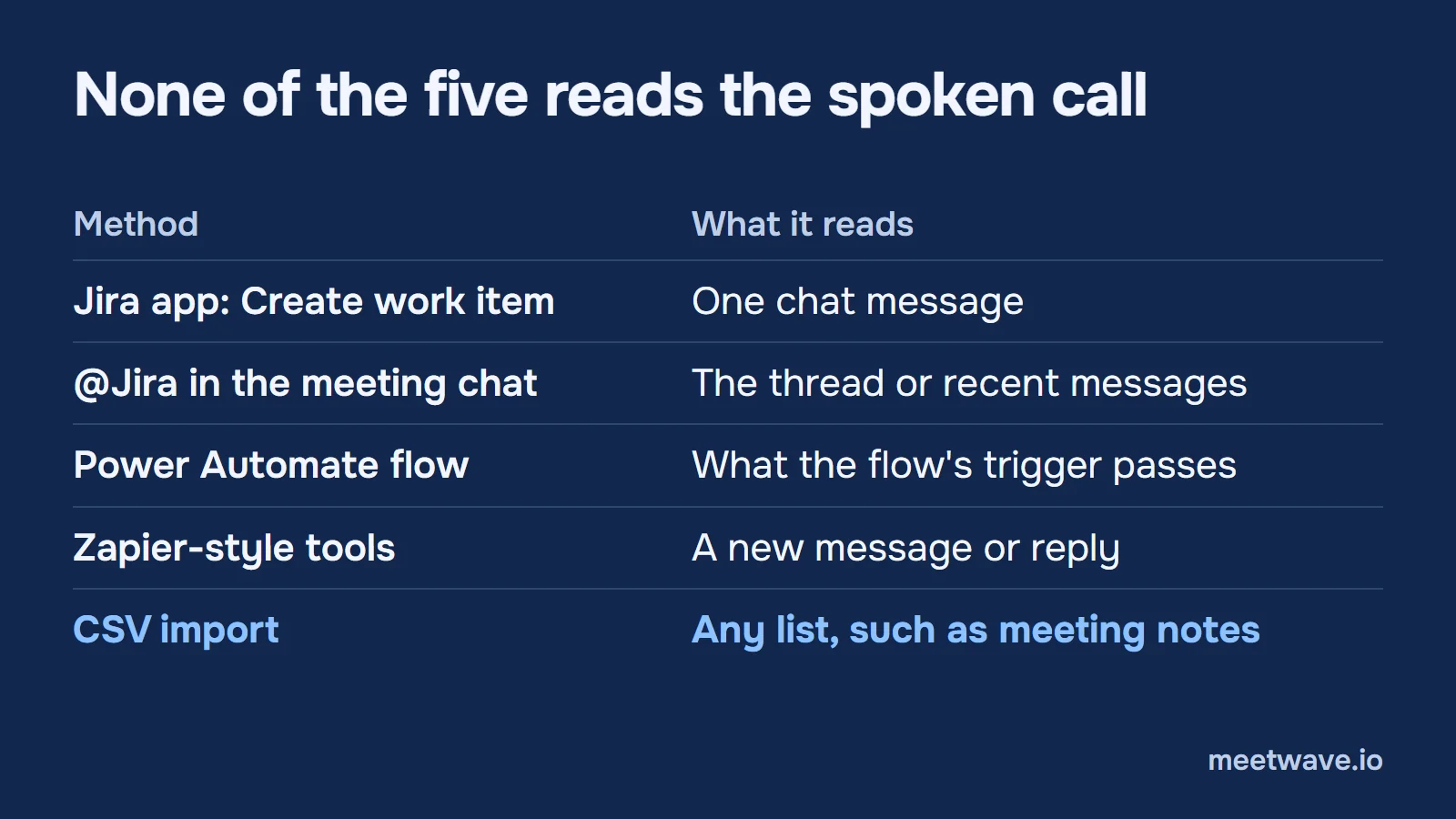 Figure 1. None of the five methods reads the spoken call. Checked on 2026-11-05. Source: Atlassian Support, Microsoft Learn, Make Help Center.
Method 1: "Create work item in Jira" on a chat message
The Jira Cloud app for Teams turns one message into one work item. It works in a team, a channel or a meeting chat (Atlassian).
- Open the team, channel or meeting chat and find the message.
- Open the message's More options menu and select Create work item in Jira.
- Choose the Jira site and the space.
- Turn on Use Rovo to generate the summary and description, or write them yourself.
- Fill the required fields and select Create.
What it reads: Rovo "gathers context only from the selected message" and "doesn't have access to the wider message thread" (Atlassian). Limit: one message, one work item. Ten tasks said aloud are ten tasks somebody has to type first.
Method 2: @Jira in the meeting chat
Mentioning @Jira asks Atlassian's AI to create work items from the conversation, several at once if you ask. It reads chat text only (Atlassian).
- Add the Jira Cloud app to the meeting.
- In the meeting chat, write
@Jira create a work item for the login bug we discussed. - For several items, ask it to turn the conversation into multiple work items and confirm when it asks.
What it reads: inside a reply chain, the full thread; outside one, "recent messages in the channel". The page does not mention meeting transcripts (Atlassian). Plan: an organization admin must activate Rovo; AI is on automatically for Standard, Premium and Enterprise plans (Atlassian). Limit: if nobody typed the decision, @Jira has nothing to read.
Method 3: a Power Automate flow
Power Automate can create a work item from any event a flow can see, through the Jira connector's Create a new issue (V3) action. The older V2 and original actions are deprecated (Microsoft Learn).
- Create a flow and pick its trigger.
- Add the Jira action Create a new issue (V3) and connect your Jira site.
- Map the trigger's text to the summary and description, then run a test.
Plan: the Jira connector is Premium in Power Automate, Power Apps and Copilot Studio, and Standard in Logic Apps (Microsoft Learn). Limit: the create action supports only simple field types (string, number, date, datetime). A space with a required field of another type fails with "Field '{key}' of type '{type}' is not supported" until that field is made optional (Microsoft Learn).
Method 4: Zapier-style automation tools
Automation tools connect a Teams event to a Jira action, and the event is a message. In Make, the Teams triggers are Watch Messages, Watch New Replies and Watch Teams, and the Jira action is Create an Issue; there is no trigger for a meeting transcript (Make, Make).
- Choose a Teams trigger, such as a new message in a channel.
- Add a filter, for example messages that start with "TODO".
- Add the Jira action that creates a work item and map the message text to the summary.
Limit: it moves typed messages, like Methods 1 and 2, without the AI (Make).
Method 5: CSV import
A CSV import creates many work items from one file, and the file can come from anything: your notes, a recap, a recording's action items. It is the only method of the five that does not care where the list came from (Atlassian).
- Go to Filters → Search work items → More actions (•••) → Import work items from CSV.
- Upload the file. A header row with a Summary column is the only requirement.
- Map the columns to fields. Give the date format of the file on the second step; for the template below it is
yyyy-MM-dd. - Select Validate, read the warnings, then import.
Plan: the page names no extra license. Users without administrator permissions can import 250 work items per file; admins also have System → External System Import → CSV (Atlassian, Atlassian). Limit: Assignee takes an email or an Atlassian account ID, and the admin importer can create Jira users for unknown values. If you are not sure the emails are right, leave Assignee unmapped (Atlassian).
The missing step: getting the action items out of the call
The five methods start after someone has written the tasks down. In a planning call, most tasks are said, not typed. There are two ways to get them out of a Teams call (Microsoft).
The Teams recap. Intelligent recap lists follow-up tasks with a Teams Premium add-on or a Microsoft 365 Copilot license. The meeting has to be transcribed and last five minutes or longer, and only invited people in your organization can open it (Microsoft). Microsoft's page does not describe sending those tasks to Jira. If you have a transcript but no recap, the Teams transcript converter turns the file into plain text you can work from.
A recorder on your own computer. MeetWave records the Teams call from your desktop, with no bot in the meeting, and its notes list each action item with its owner and date. Figure 2 shows that block from a demo client call. A direct MeetWave → Jira connection is coming; until then the rows go through the CSV below (demo notes).
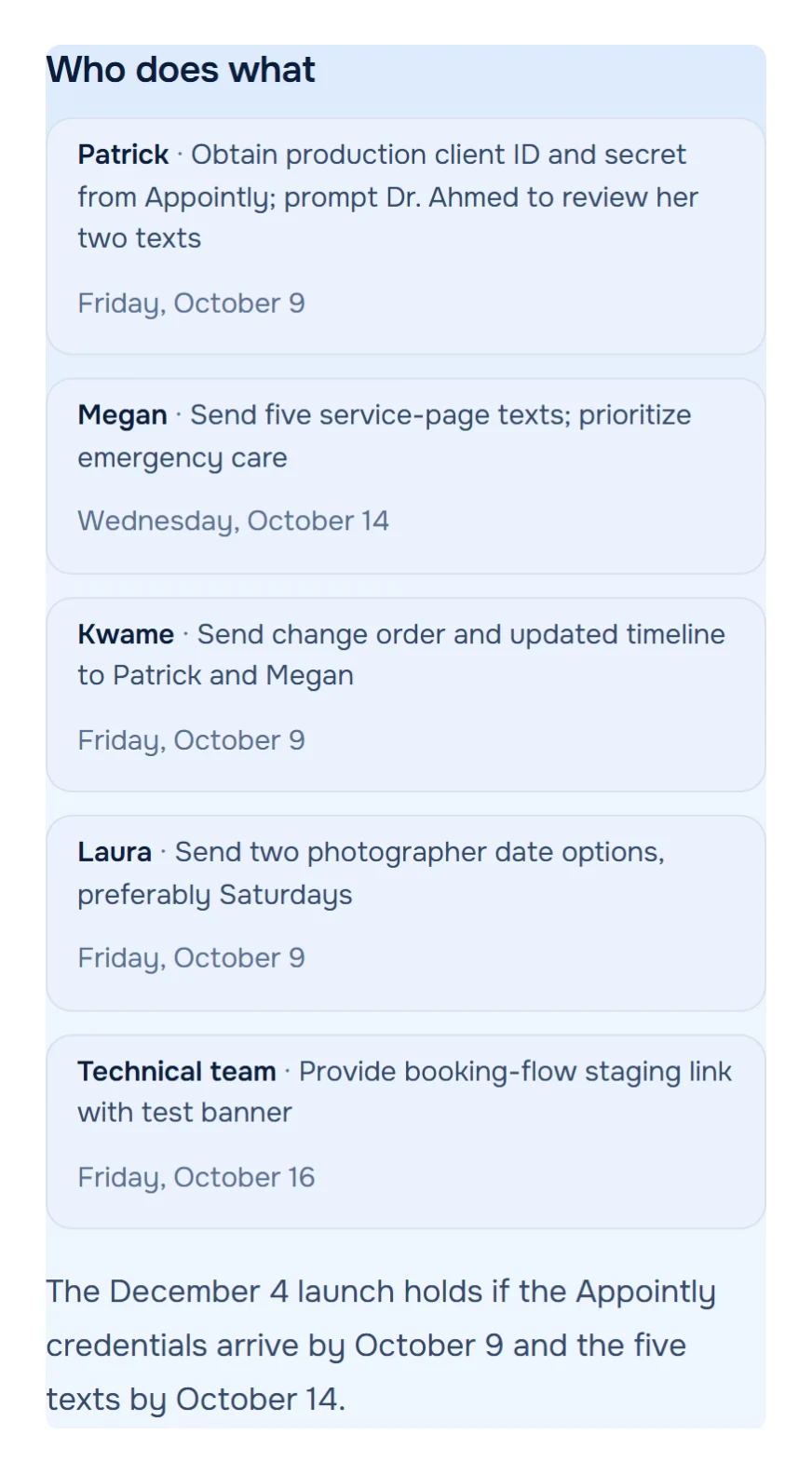
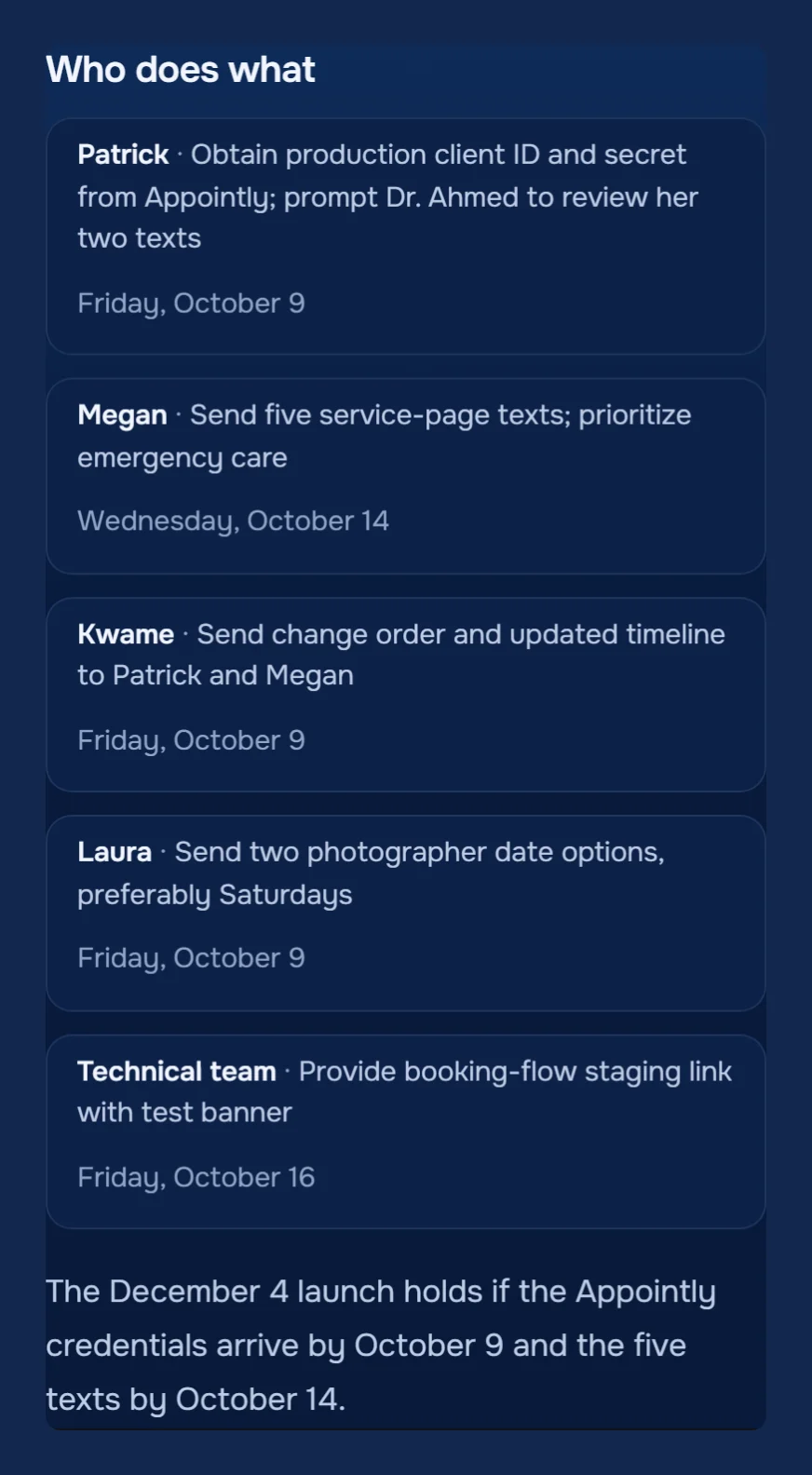 Figure 2. Demo meeting, people are fictional. Five of its seven action items, each with an owner and a date, and the condition the launch depends on; the two rows without a date are hidden. Source: demo client call, notes, October 2026.Analyzed with MeetWaveSee the full notesTry it on your next client call
Each card in Figure 2 is one CSV row: the task is the Summary, the person is the Assignee, the date is the Due date. The line under the cards is why two of them are High priority: "The December 4 launch holds if the Appointly credentials arrive by October 9 and the five texts by October 14" (demo notes). The "Technical team" row has no person, so its Assignee stays empty rather than guessed (demo notes).
The CSV template and the prompt
The template has the six columns a meeting task needs, filled with the five rows from Figure 2. Replace the example emails with your teammates' Atlassian emails, or leave the Assignee cell empty. You can also download the file (Atlassian).
Summary,Description,Assignee,Priority,Due date,Labels
Send change order and updated timeline to the client,"Spanish pages for five named pages, $3,900, half at signing and half at launch. From the client call on 2026-10-07.",kwame@example.com,High,2026-10-09,client-call
Get production client ID and secret from Appointly,"The December 4 launch holds only if the credentials arrive by October 9. From the client call on 2026-10-07.",patrick@example.com,High,2026-10-09,client-call
Send five service-page texts with emergency care first,"The December 4 launch holds only if the texts arrive by October 14. From the client call on 2026-10-07.",megan@example.com,High,2026-10-14,client-call
Send two photographer date options,"Saturdays preferred. From the client call on 2026-10-07.",laura@example.com,Medium,2026-10-09,client-call
Share the booking-flow staging link with a test banner,"Owner named in the call: the technical team, no person. From the client call on 2026-10-07.",,Medium,2026-10-16,client-call
Four rules keep the import clean. Put quotes around any cell with a comma. Use Jira's own priority names (Highest, High, Medium, Low, Lowest) unless your site renamed them. For a second label, add a second Labels column. On the importer's second step, set the date format to yyyy-MM-dd (Atlassian).
If your notes are in prose, paste them into any AI assistant with this prompt. It returns rows in the same format and leaves the owner empty when nobody took the task (Gollwitzer & Sheeran, 2006).
You turn meeting notes into rows for a Jira CSV import.

Output only CSV, with this header:
Summary,Description,Assignee,Priority,Due date,Labels

Rules:
- One row per task that a person agreed to do. Skip ideas that were only discussed.
- Summary: starts with a verb, under 80 characters.
- Assignee: the email of the person who took the task, from this list: [Name = email, Name = email]. If nobody took it, leave it empty. Never guess an owner.
- Due date: yyyy-MM-dd, only if a date was said. Otherwise leave it empty.
- Priority: High if the notes say something else depends on it, otherwise Medium.
- Labels: [one label, for example the meeting name, no spaces].
- Description: one sentence of context from the notes and the meeting date.
- Put any cell that contains a comma in double quotes.

After the CSV, list the tasks you left without an owner or a date.

Notes:
[paste the meeting notes here]
The last line of the prompt matters most. A row without an owner is a question for the team, not a gap to fill; plans that name who acts and when are the ones that get done (Gollwitzer & Sheeran, 2006). For notes without a list of tasks yet, the action items tool pulls them out first.
The five methods side by side
| Method | What it reads | Plan it needs | Limit |
|---|---|---|---|
| Create work item in Jira | One chat message | Jira Cloud app; Rovo for the AI summary | One message, one work item |
| @Jira in the meeting chat | Thread or recent chat messages | Rovo activated; AI on Standard, Premium, Enterprise | Chat only, not the spoken call |
| Power Automate | What the flow's trigger passes | Premium connector | Required complex fields fail |
| Zapier-style tools | A new message or reply | The tool's own plan | Typed messages only |
| CSV import | Any list | Any Jira plan | 250 work items per file without admin rights |
Source: Atlassian, Teams app; Atlassian, @Jira; Microsoft Learn, Jira connector; Make; Atlassian, CSV importer. Checked on 2026-11-05.
Key numbers
- If-then plans that state when and how to act raised goal attainment with an effect of d = .65 across 94 independent tests, in a 2006 meta-analysis of individual goals (Gollwitzer & Sheeran, 2006).
- Users without administrator permissions can import 250 Jira work items per CSV file, as of November 2026 (Atlassian).
- The Jira connector is Premium in Power Automate and Standard in Logic Apps, per Microsoft's page updated in October 2026 (Microsoft Learn).
- The Teams intelligent recap needs a transcribed meeting of five minutes or longer and a Teams Premium or Microsoft 365 Copilot license, as of November 2026 (Microsoft).
- Atlassian's @Jira AI is on automatically for Standard, Premium and Enterprise plans, as of November 2026 (Atlassian).
How we checked
Every method, menu name and limit above was read on the vendor's own help page on 2026-11-05; the pages are listed under Sources. Where a page did not state a plan or a price, the article says so instead of quoting a third party. The CSV template follows Atlassian's Cloud importer rules: a Summary header, emails for Assignee, one label per Labels column and an ISO date format (Atlassian). Figure 2 and the template rows come from a demo client call written for this blog; the people are fictional (demo notes).
FAQ
Can Jira read my Teams meeting transcript?
Not through the Jira Cloud app for Teams. "Create work item in Jira" reads one message, and @Jira reads the thread or recent chat messages; neither page mentions transcripts (Atlassian).
Do I need Rovo to create Jira work items from Teams?
No. You can write the summary yourself in "Create work item in Jira"; Rovo only drafts the summary and description. @Jira needs Rovo activated by an organization admin (Atlassian).
Does Power Automate need a Premium license for Jira?
Yes. Microsoft lists the Jira connector as Premium in Power Automate, Power Apps and Copilot Studio, and Standard only in Logic Apps (Microsoft Learn).
Can I create several Jira work items from one meeting at once?
Yes, two ways. Ask @Jira to turn the chat into several work items and confirm, or import a CSV with one row per action item (Atlassian).
Does this work with Jira Data Center?
This article covers Jira Cloud. The Power Automate connector also accepts a self-hosted Data Center or Server address, but not one behind a firewall or with the REST API turned off (Microsoft Learn).
What date format does the Jira CSV import accept?
The one you name on the importer's second step, written in Java date syntax. The template here uses yyyy-MM-dd (Atlassian).
Sources
- Atlassian — Create and update Jira work from Microsoft Teams (2026). Accessed 2026-11-05.
- Atlassian — Mention Jira in Microsoft Teams to manage work (2026). Accessed 2026-11-05.
- Atlassian — Create work items using the CSV importer (2026). Accessed 2026-11-05.
- Atlassian — Import data from a CSV file (2026). Accessed 2026-11-05.
- Microsoft Learn — Jira connector reference (updated 2026-10-02). Accessed 2026-11-05.
- Microsoft Support — Recap in Microsoft Teams (2026). Accessed 2026-11-05.
- Make Help Center — Microsoft Teams and Jira (2026). Accessed 2026-11-05.
- Gollwitzer, P. M. & Sheeran, P. — Implementation intentions and goal achievement: a meta-analysis of effects and processes, Advances in Experimental Social Psychology 38 (2006). Accessed 2026-11-05.
Still comparing tools?
See how MeetWave stacks up against the tools most teams evaluate alongside it.
- MeetWave vs KrispSee how MeetWave compares to Krisp for meeting notes
- MeetWave vs JamieSee how MeetWave compares to Jamie AI for bot-free meeting notes
- MeetWave vs Otter AISee how MeetWave compares to Otter AI for meeting intelligence
More on this: Meeting minutes template