How to Transcribe Audio
To transcribe audio, you need a file in a supported format, a transcription tool that accepts an upload, and enough time to let it process before you can rely on the output. The steps are the same whether the file is a podcast episode, a lecture recording, or a downloaded call: check the file, pick a tool that handles its length, upload, then proofread the result against the audio. This guide covers the file itself. If your audio is specifically a voice memo or personal recording, see built-in transcription on iPhone, Android and Windows instead.
How to Transcribe Audio
- Confirm the file format. If it's something uncommon, converting to MP3 or WAV first avoids a failed upload.
- Check the file's length against the tool's limit. Many free transcription tools cap files at a set number of minutes; going over means either splitting the file or finding a tool with a higher limit.
- Upload the file and start transcription. For a one-off file you can upload the file to a free audio-to-text tool. Processing time scales roughly with the length of the audio, so a two-hour lecture takes considerably longer than a five-minute clip.
- Download or copy the transcript once it's ready.
- Proofread against the audio, especially names, numbers, and technical terms, which automatic transcription gets wrong more often than conversational speech.
What "Transcribe Audio" Actually Means for the File
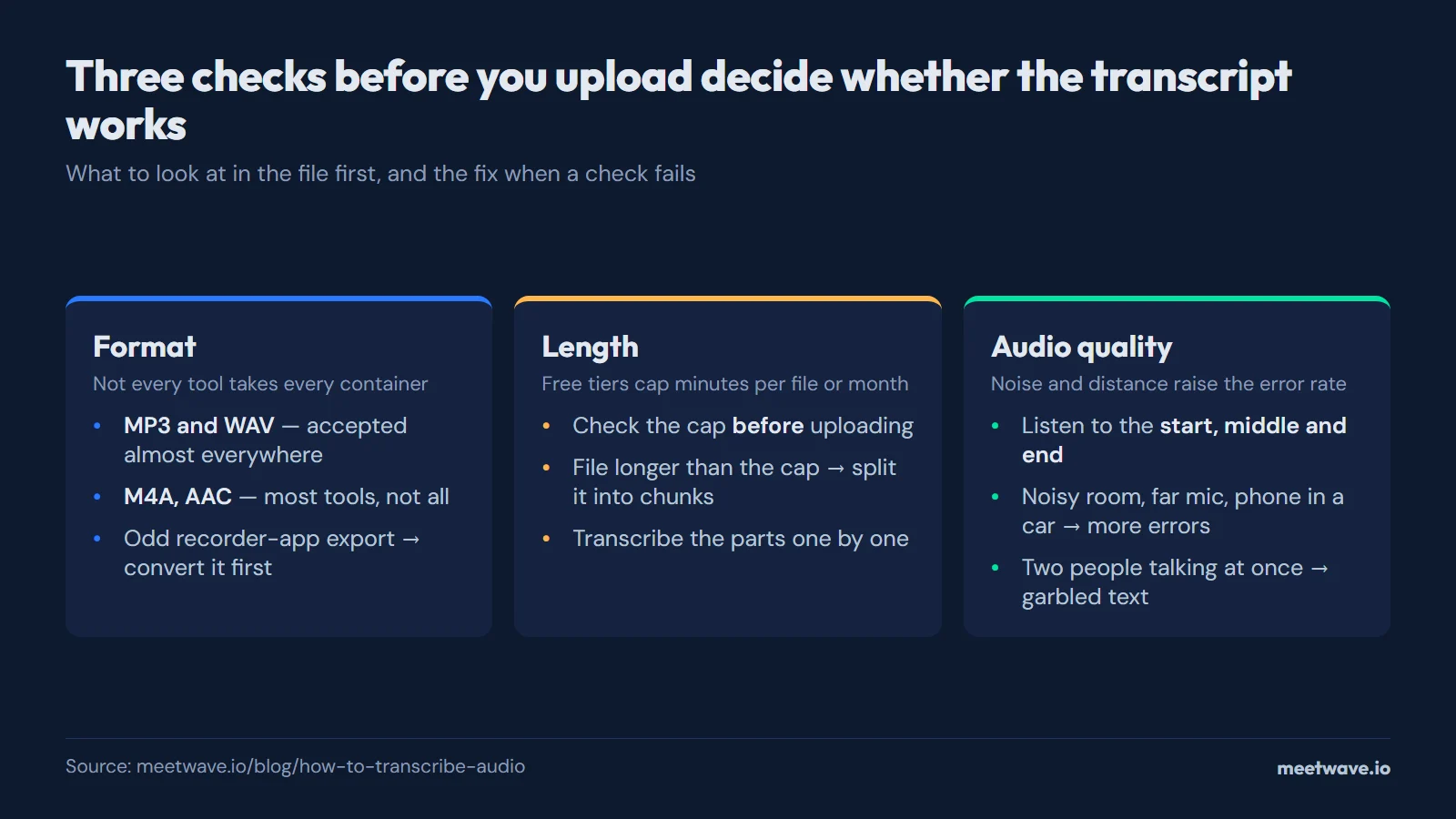
Transcribing audio means turning the spoken content of a file into written text. Before uploading anything, three properties of the file determine how smoothly that goes: format, length, and audio quality.
| File property | Why it matters | What to check |
|---|---|---|
| Format | Not every tool accepts every container | MP3 and WAV are the most widely supported; M4A and AAC work with most tools but not all |
| Length | Free tiers usually cap minutes per file or per month | Check the limit before uploading a long file, not after it fails partway through |
| Audio quality | Background noise and low volume reduce accuracy | A quick listen at the start, middle, and end catches most quality issues before you commit to a full transcription run |
A voice memo is the one case where you may not need an upload at all: the phone that recorded it can often transcribe it itself.
Formats, Length, and Quality: Where Transcription Breaks
Most transcription problems trace back to one of the three properties above, not to the tool itself.
- Wrong or unsupported format. A file exported from an unusual recorder app sometimes needs converting before any tool will accept it.
- File too long for a free tier. Splitting a long file into smaller chunks and transcribing them separately is a practical workaround when a tool's length cap is lower than your file. The per-recording caps and monthly minutes of each service, and how much transcription costs once you outgrow them, are compared in one table.
- Low audio quality. Recordings made in a noisy room, at a distance from the speaker, or through a phone's built-in mic in a car all show noticeably higher error rates. There's no fix after the fact beyond careful proofreading.
- Overlapping speech. When two people talk at once, most transcription tools produce garbled or merged text for that stretch, regardless of format or length.
FAQ
How do I transcribe audio for free?
Upload the audio file to a free transcription tool, checking its length and format limits first. Most free tools cap the number of minutes per file or per month, so a short file goes through with no cost while a very long one may need to be split.
What audio formats can be transcribed?
MP3 and WAV are the most widely supported formats across transcription tools. M4A and AAC work with most tools but not universally, so converting an uncommon format to MP3 before uploading avoids failed uploads.
Why is my audio transcription inaccurate?
Accuracy drops with background noise, low recording volume, overlapping speech, and uncommon names or technical terms. None of these are fixed by the transcription tool itself; proofreading the output against the original audio is the only reliable check.
Can I transcribe a long audio file, like a two-hour recording?
Yes, but processing time scales with length and many free tools cap the total minutes per file. For a file longer than the cap, splitting it into smaller segments and transcribing each separately is the practical workaround.
Still comparing tools?
See how MeetWave stacks up against the tools most teams evaluate alongside it.
- MeetWave vs GranolaSee how MeetWave compares to Granola for bot-free meeting notes
- MeetWave vs TactiqSee how MeetWave compares to Tactiq for meeting transcripts
- MeetWave vs NottaSee how MeetWave compares to Notta for meeting transcription
More on this: Audio to text







