Best Project Management Tools to Track Meeting Action Items
The tool that keeps meeting action items is the one where each item gets one owner and one due date in a single list the team reviews; all seven trackers compared here hold both fields and have a free plan. GoodDay, Asana, ClickUp, monday.com and Notion also turn meeting notes into tasks, on a paid plan or with AI credits; Trello and Jira take the items you add. The owner and the date carry the evidence: across 94 tests, plans that name when and how to act raised goal attainment with an effect of d = .65.
How to turn meeting action items into tracked tasks
Four steps take an action item from the call to a task someone closes. The tool matters at step 3; the other three are habits, and step 2 is the one with evidence behind it (Gollwitzer & Sheeran, 2006).
- Capture every action item before the call ends. Read the list back in the last two minutes, or take it from the notes or a recording made with everyone's consent. An item said once and written nowhere is the one that disappears (why meeting decisions get lost).
- Give each item one owner and one date. A person, not "the team", and a calendar date, not "soon". Plans that state when and how to act are the ones people follow through on (Gollwitzer & Sheeran, 2006).
- Move the items into the tracker the team already uses, inside the project they belong to, not into a separate meeting doc. Each tool below has an assignee and a due date field (Trello, Asana).
- Open the list of open items at the start of the next meeting. A recurring task or a repeating meeting template puts that review on the calendar (Notion).
Figure 1 is step 2 on one item: the sentence from the notes becomes a task that starts with a verb and carries a name and a date (demo notes).
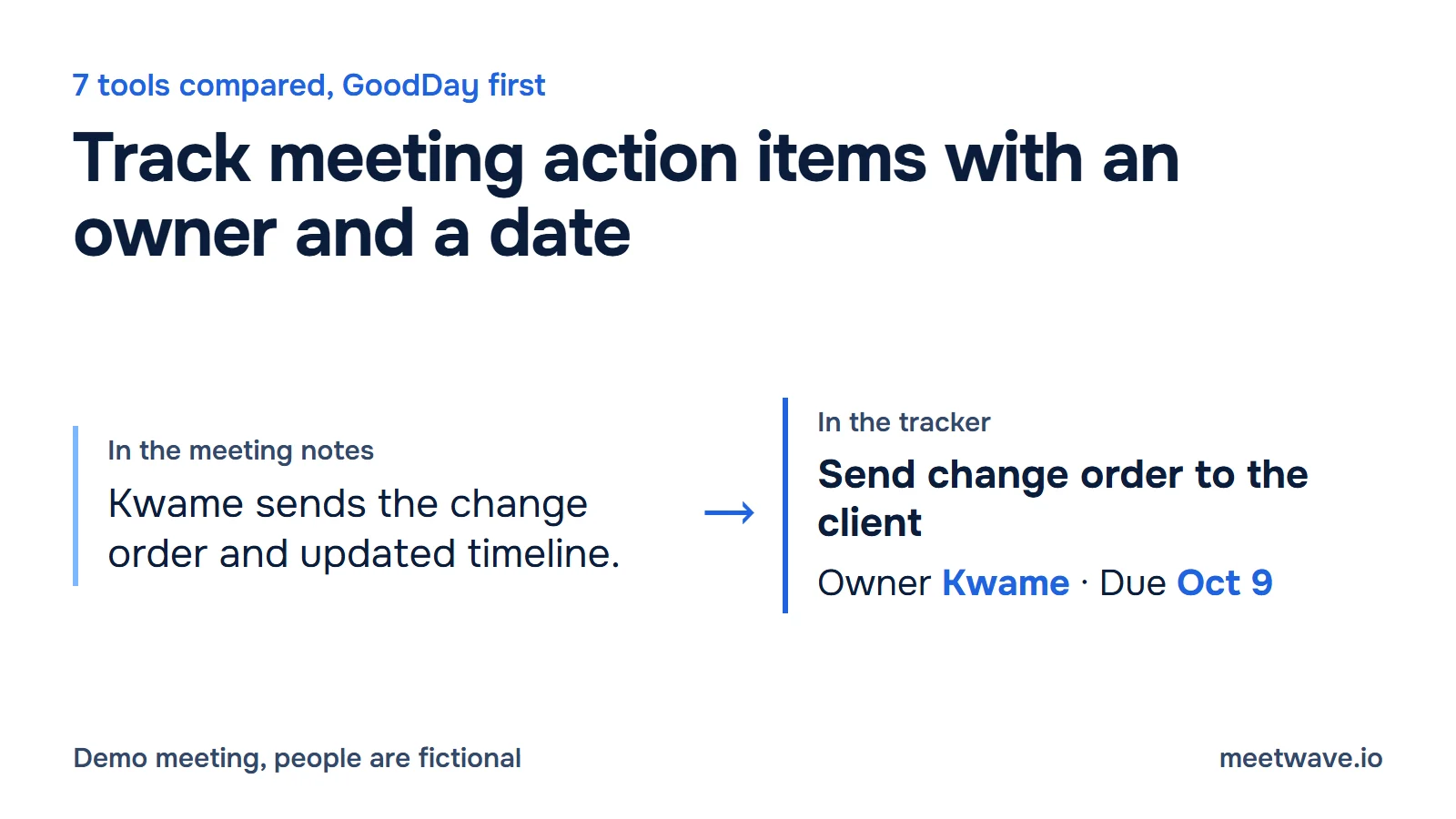
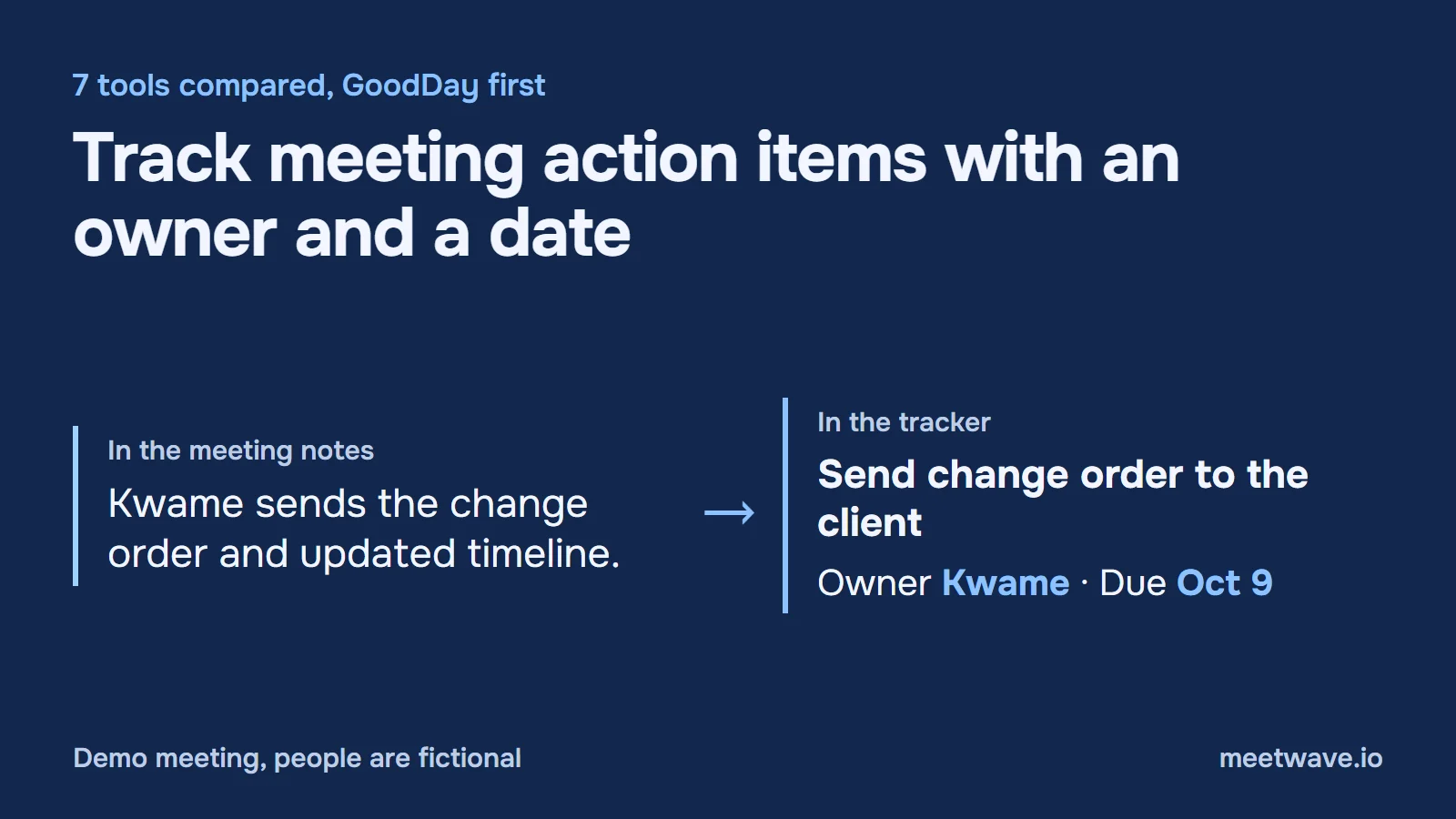 Figure 1. A note becomes a task with a verb, one owner and one date. Demo meeting, people are fictional. Source: MeetWave demo client call, October 2026.
Step 1 is where most lists break, because the person taking notes is also in the conversation. MeetWave records the call from your own computer, with no bot in the meeting, and its notes list each action item with its owner and date. Figure 2 shows that block from a demo client call. Sending the items straight to a tracker is listed on the integrations page; until then they are copied in, or imported as a CSV file as in our guide to Jira tickets from a Teams meeting.
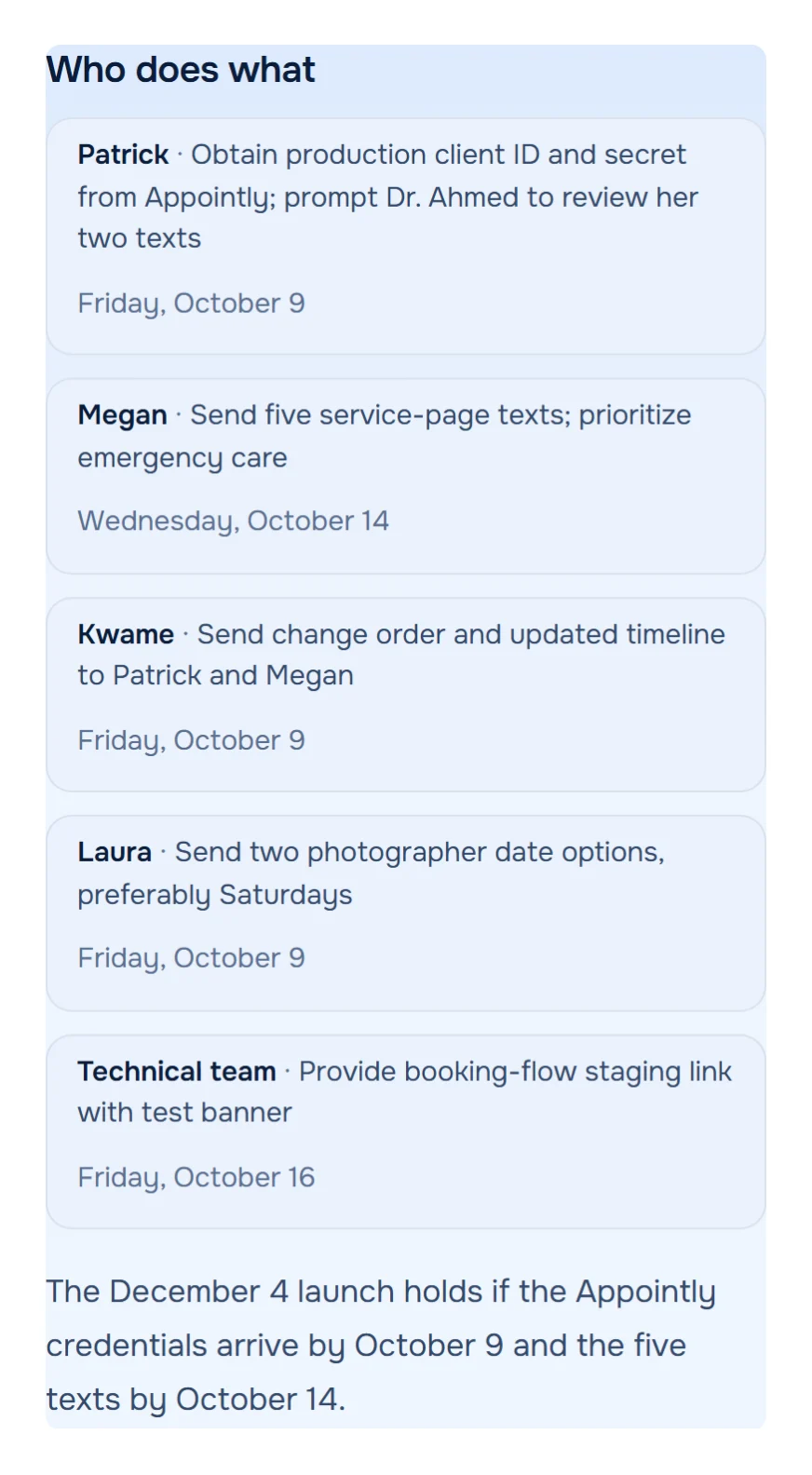
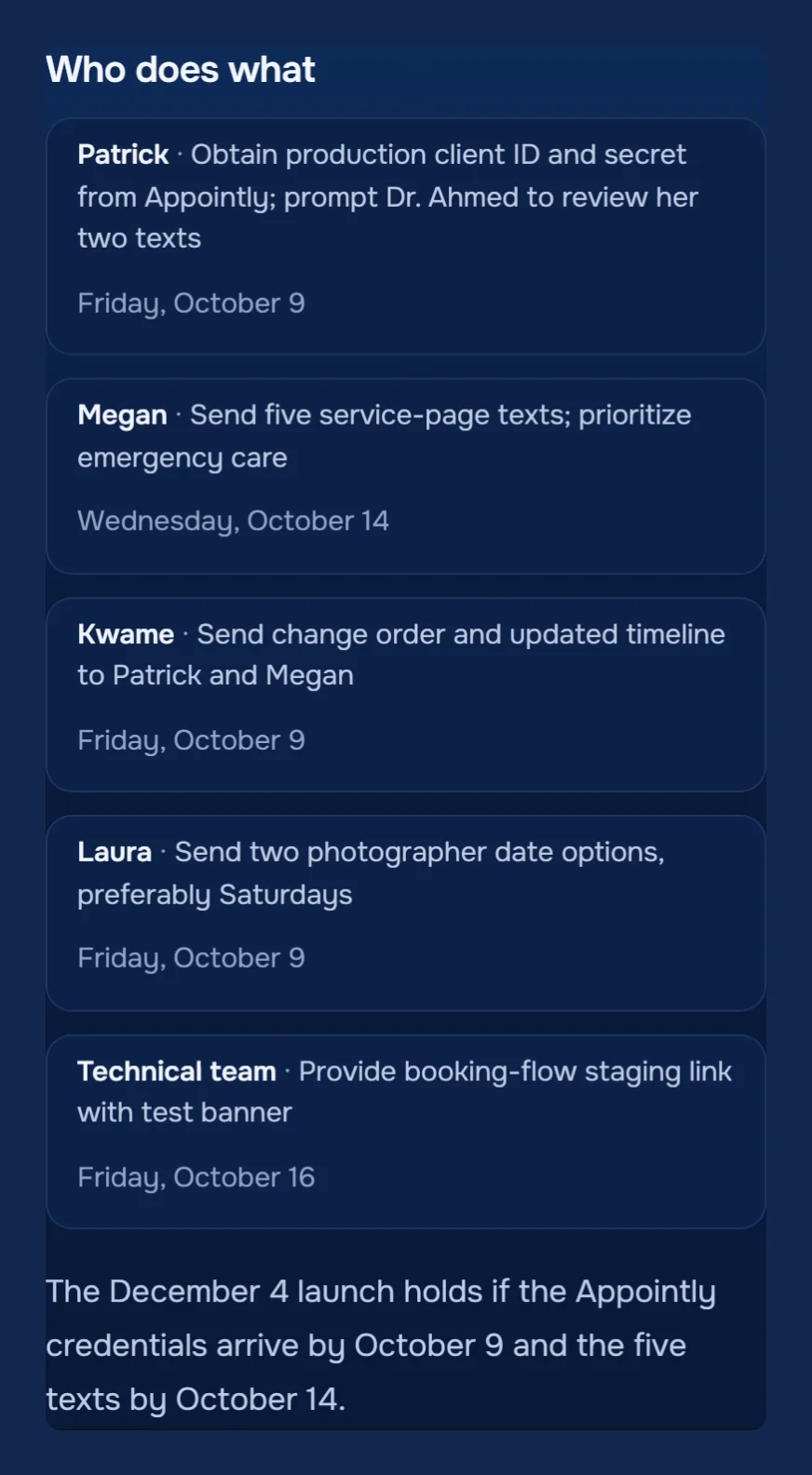 Figure 2. Demo meeting, people are fictional. Five action items from a client call, each with an owner and a date, ready to become tracker tasks. Source: demo client call, notes, October 2026.Analyzed with MeetWaveSee the full notesTry it on your next client call
No notes with a task list yet? Paste the transcript or your notes into the meeting action items tool, which pulls out each task with its owner and date, then move them into your tracker.
The seven tools compared
All seven have a free plan with assignees and due dates, so the free tier decides on team size, not on features. They differ on two things: who writes the tasks after the call, and which plan that needs (GoodDay, Asana, ClickUp).
| Tool | Free plan | Recurring tasks | Meeting notes to tasks | Paid from, per user / month |
|---|---|---|---|---|
| GoodDay | Up to 15 members, 1 GB | Professional and up | Meetings module, Professional | $4 |
| Asana | 2 users | All plans | AI Meetings, Advanced ($24.99) | $10.99 |
| ClickUp | Unlimited members, 60 MB | All plans | AI Notetaker, 180 AI credits per hour | $9 |
| monday.com | 2 seats, 3 boards | Task-creation automations, Standard | AI notetaker, Standard ($12) | $9, from 3 seats |
| Trello | 10 collaborators, 10 boards | Calendar automations | None built in | $5 |
| Jira | 10 users, 2 GB | Scheduled automation | From a Confluence page | $9.70, monthly, 10 users |
| Notion | Individuals; limited blocks for 2+ members | Repeating templates | AI Meeting Notes, Business ($20) | $10 |
Source: GoodDay pricing; Asana pricing; ClickUp pricing; monday.com pricing and monday.com prices in USD; Trello pricing; Jira pricing; Notion pricing; help pages under Sources. Prices billed annually unless noted. Checked on 2026-11-12.
Five tools write tasks from meeting notes, and four of them put it behind a paid plan. GoodDay's is the cheapest plan at $4 per user per month; ClickUp's runs on AI credits, including on the free plan. Figure 3 shows the plan each one needs (Asana, Notion).
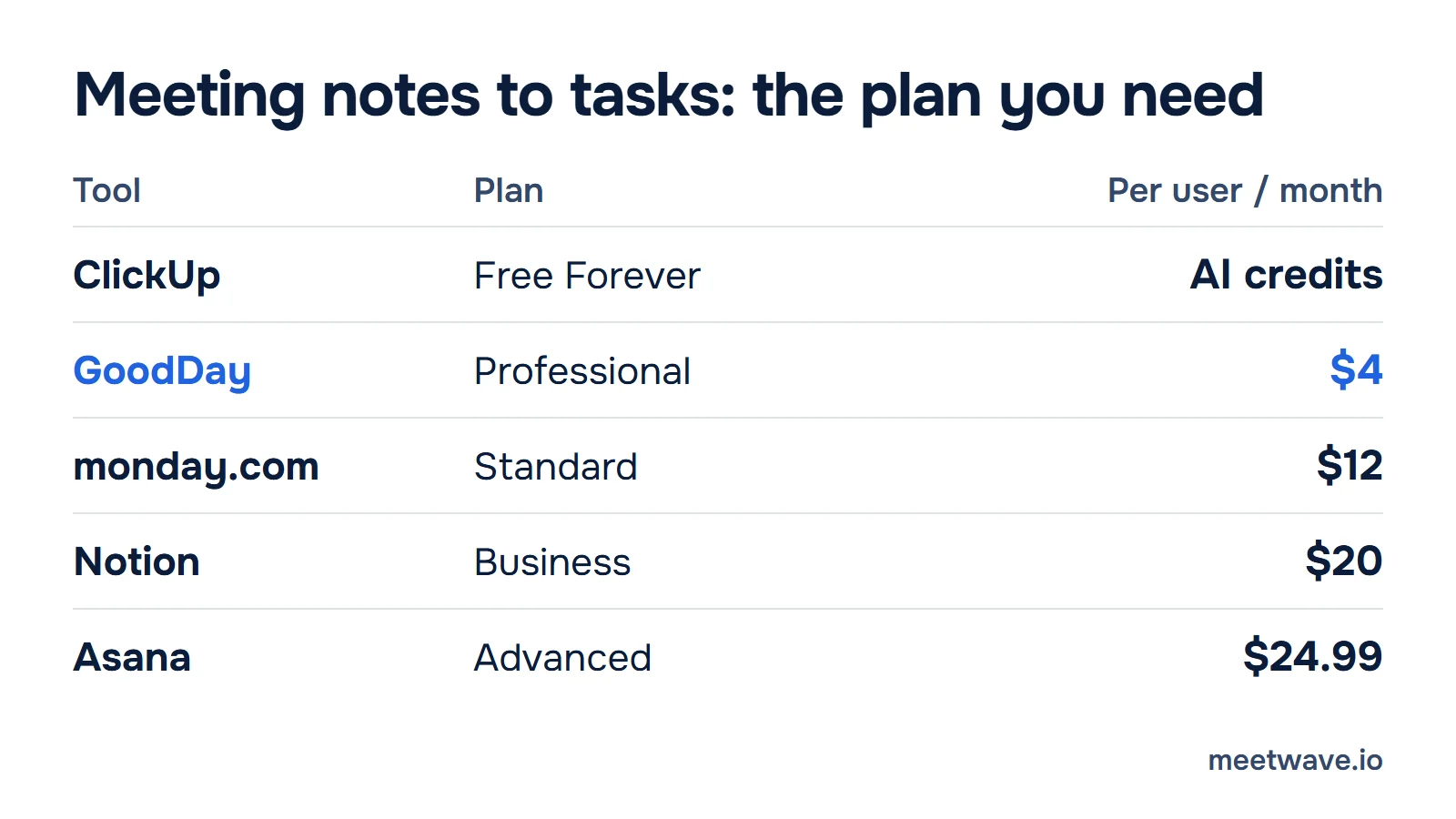
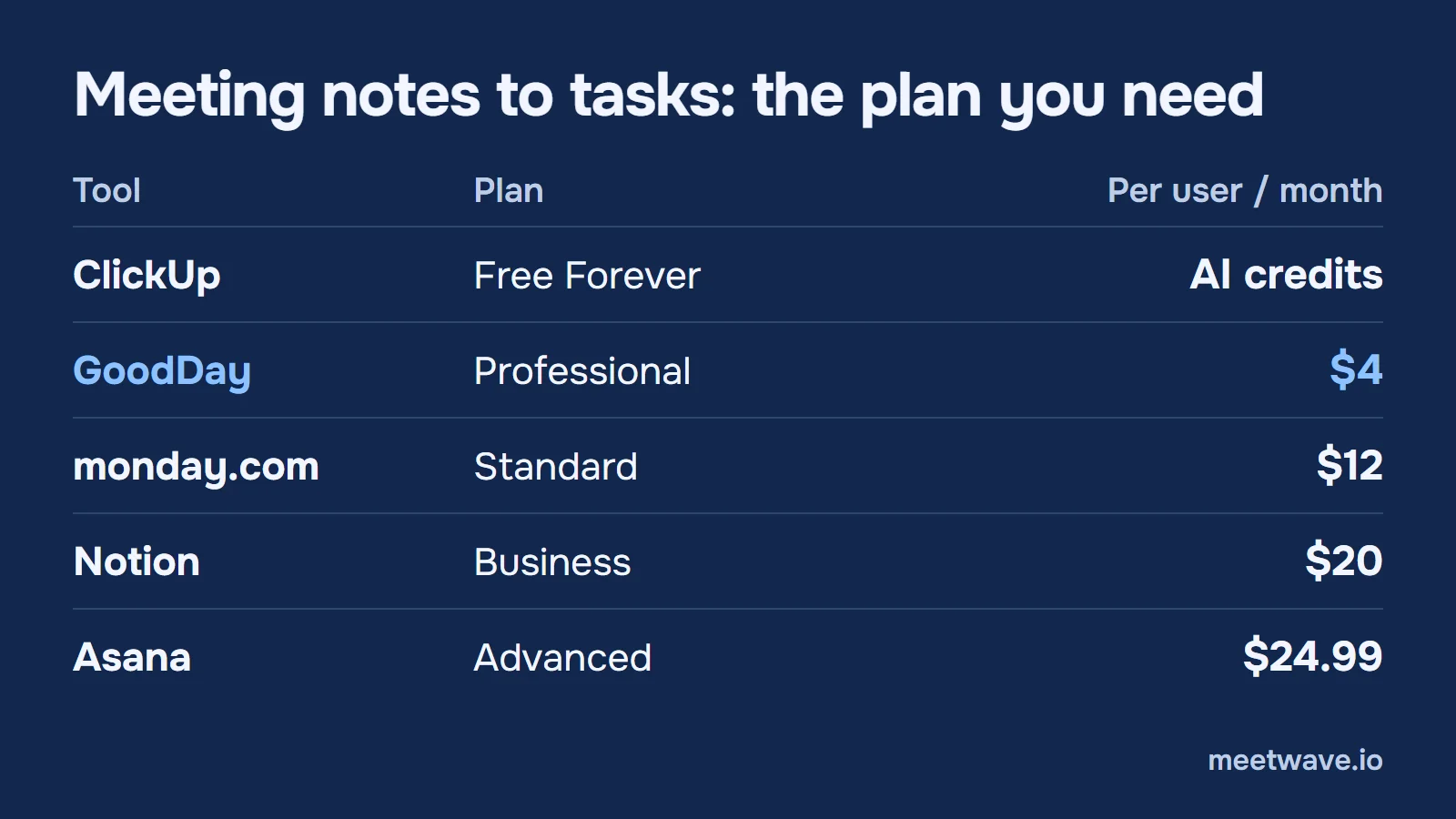 Figure 3. The plan that turns meeting notes into tasks, per user per month, billed annually. Trello and Jira have no such feature. Checked on 2026-11-12. Source: vendor pricing and help pages.
The tools
1. GoodDay
Best for: teams that want meeting notes, action items and project work in one workspace.
GoodDay is a work management platform with a built-in Meetings module: you set the agenda, take notes during the call and turn action items into tasks in the project they belong to. Each task gets assignees and a due date, and GoodDay's Action Required field names the person responsible for the next step, so an item doesn't stall after someone says they'll "look into it". Open items appear in each person's My Work dashboard, and events and milestones sync both ways with Google Calendar. Teams moving from Jira, Asana or Trello can import their existing projects (GoodDay).
- Free plan: up to 15 members, unlimited projects and tasks, 1 GB of storage (GoodDay).
- Price: Professional from $4 per user per month billed annually ($6 billed monthly) (GoodDay).
- Limit: the Meetings module and recurring tasks come with the Professional plan, so on the free plan you add meeting action items as regular tasks (GoodDay).
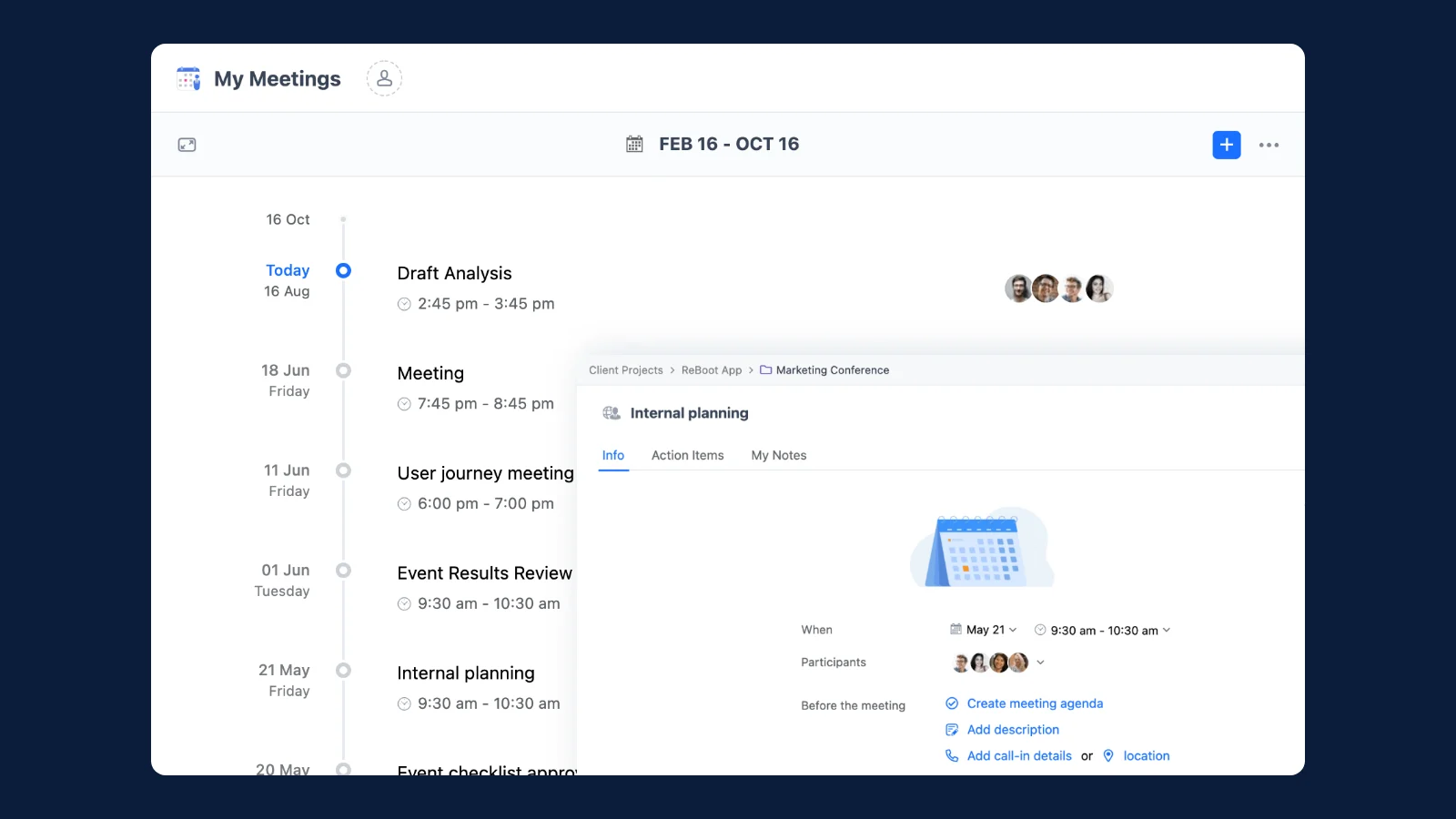 Figure 4. A meeting in GoodDay with its action items tab. Source: image by GoodDay (goodday.work).
2. Asana
Best for: teams on Asana's Advanced plan that want the call transcribed and its action items suggested as tasks.
AI Meetings transcribes Zoom, Google Meet and Microsoft Teams calls synced through Google Calendar or Outlook. Every action item becomes a suggested task that you accept or reject, assigned to the person who owns the work and connected to its project. Without it, a task takes one assignee and a due date by hand (Asana: AI Meetings, tasks).
- Free plan: Personal, for 2 users, with unlimited tasks and projects, list, board and calendar views, and recurring tasks (Asana).
- Price: Starter $10.99 and Advanced $24.99 per user per month billed annually (Asana).
- Limit: AI Meetings is on Advanced, Enterprise and Enterprise+ only, so the meeting-to-task step costs $24.99 per user per month (Asana).
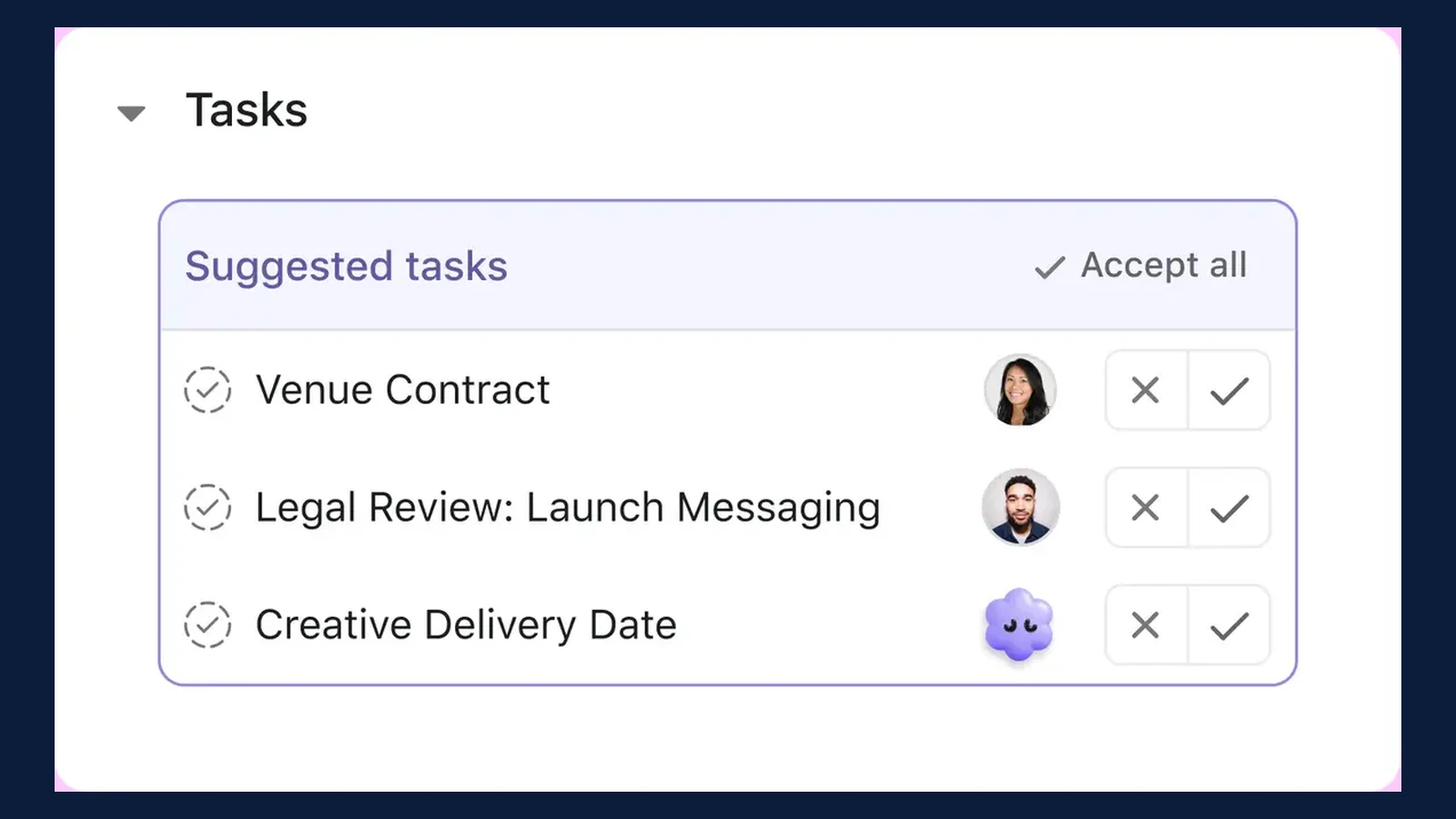 Figure 5. Action items from a call as suggested tasks. Source: image by Asana (asana.com).
3. ClickUp
Best for: teams that want meeting notes to tasks without a paid seat and accept a notetaker in the call.
ClickUp's AI Notetaker joins Zoom, Teams or Google Meet calls from Google Calendar or Outlook as an attendee and writes a notes Doc whose Next Steps section is a checklist of action items. ClickUp's feature page says it turns every action item from your calls into tasks. Recurring tasks are on every plan and carry their own assignee and due date (ClickUp: AI Notetaker help, feature page, recurring tasks).
- Free plan: Free Forever, unlimited members and tasks, 60 MB of storage, 500 trial AI credits per workspace (ClickUp).
- Price: Core $9 and Business $17 per user per month billed annually (ClickUp).
- Limit: the notetaker uses 180 AI credits per hour of meeting, so the free plan's 500 credits cover under three hours (ClickUp, how we checked).
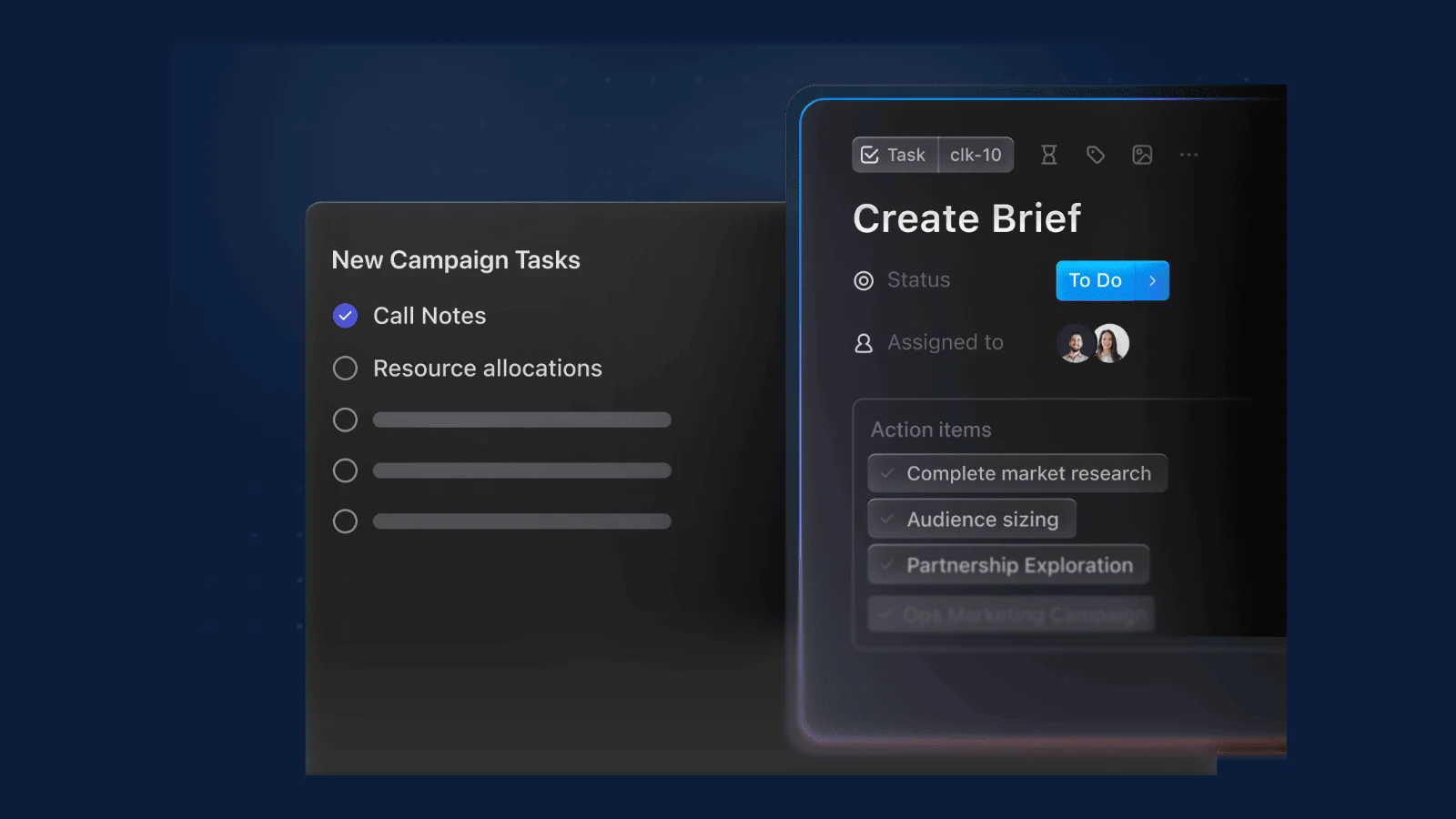 Figure 6. A task created from call notes. Source: image by ClickUp (clickup.com).
4. monday.com
Best for: teams that already plan on monday.com boards and want action items to land on one.
monday.com's AI notetaker joins Zoom, Teams or Google Meet calls from a connected Google or Outlook calendar as a guest the host admits. After the call you select the action items and a board, and they are added as subitems of a new item named after the meeting. Each item gets an owner in its People column (monday.com: AI Notetaker, assigning tasks).
- Free plan: up to 2 seats and 3 boards (monday.com).
- Price: Basic $9, Standard $12, Pro $19 per seat per month billed annually; plans start from 3 seats (monday.com).
- Limit: the pricing page lists the notetaker, automations and the calendar view from Standard, so the full meeting-to-board path starts at $12 per seat for at least 3 seats (monday.com).
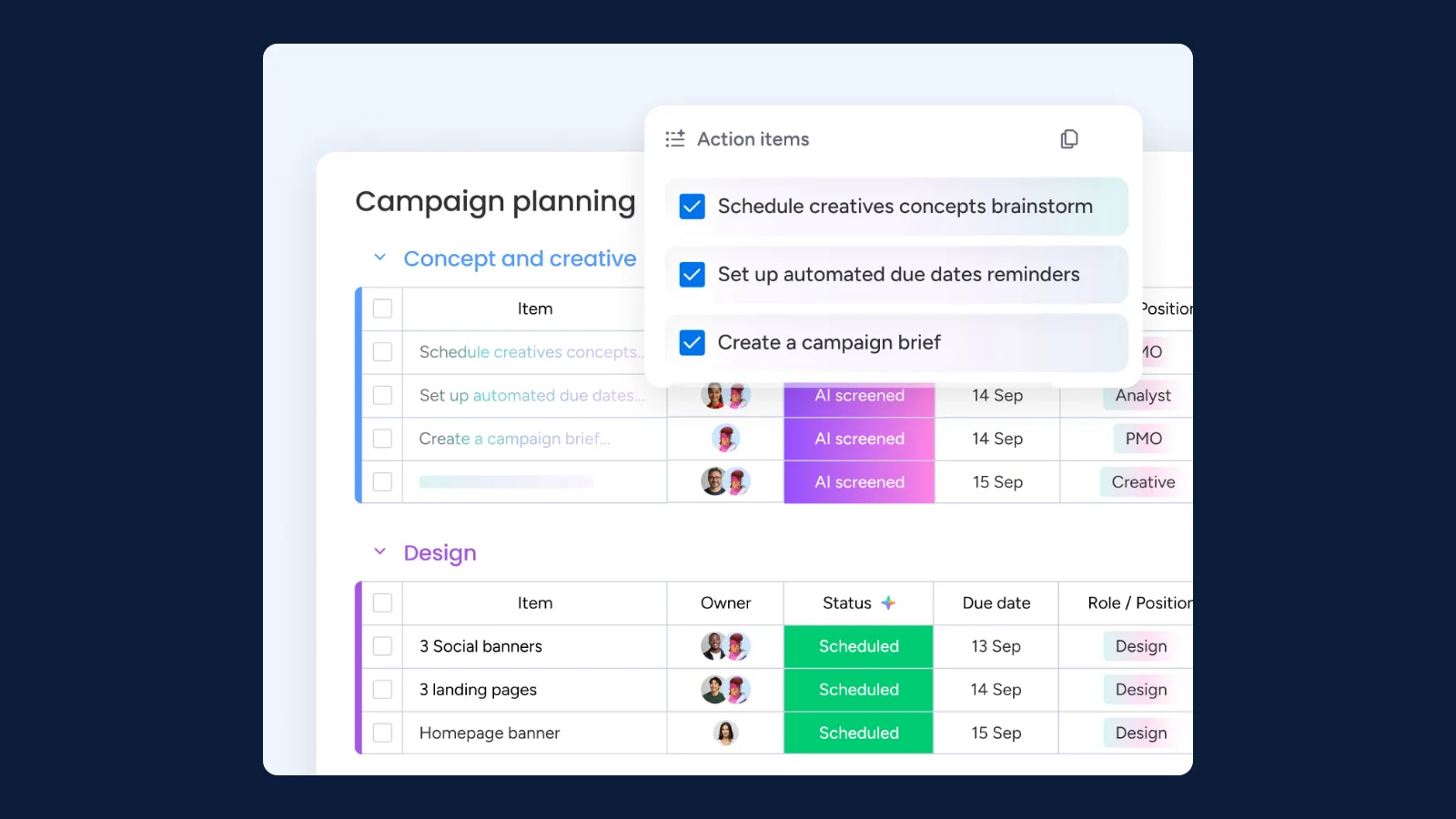 Figure 7. Meeting action items on a board with owners and due dates. Source: image by monday.com (monday.com).
5. Trello
Best for: small teams that want a simple board and will add the action items themselves.
Trello has no meeting notes feature; each action item is a card you add, with members, a due date and a checklist. Cards take a start date, a due date and a due time, with a reminder before it. The free plan includes assignees and due dates and captures to-dos from email, Slack and Teams (Trello pricing, card dates).
- Free plan: up to 10 collaborators and 10 boards per Workspace, 250 automation command runs per month (Trello).
- Price: Standard $5 per user per month billed annually ($6 monthly); Premium $10 (Trello).
- Limit: recurring items come from calendar automation commands, and the calendar view is on Premium (Trello: automation, pricing).
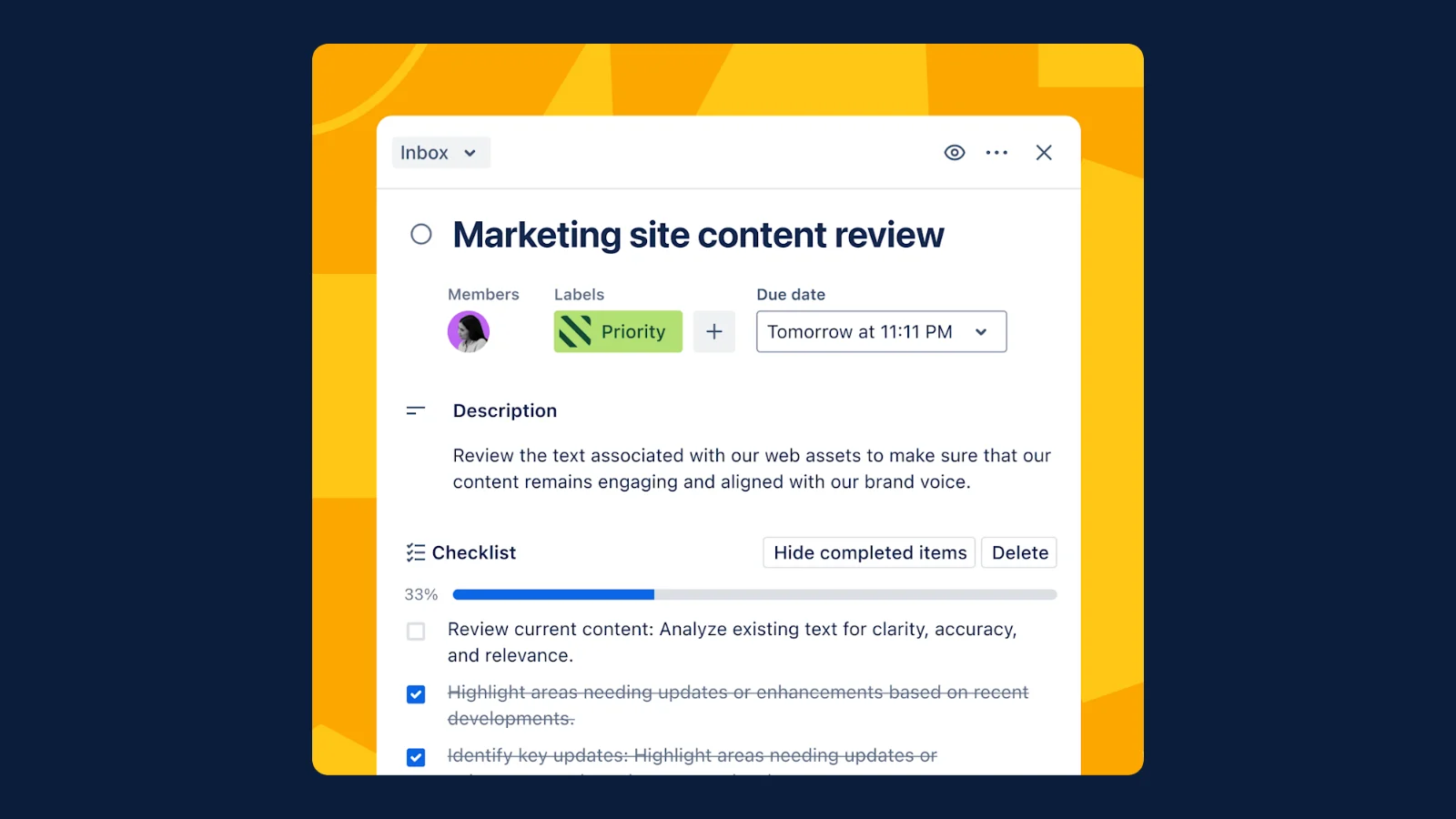 Figure 8. One action item as a Trello card with members and a due date. Source: image by Trello (trello.com).
6. Jira
Best for: software teams whose meeting action items are engineering work.
Jira holds action items as work items with an assignee and a due date, shown on a calendar view. If the meeting notes live in a Confluence page, you can highlight text and create a work item from it, or create several from a table. Recurring items come from an automation with a scheduled trigger (Atlassian: Jira and Confluence, due dates, scheduled work items).
- Free plan: up to 10 users, 2 GB of storage, 150 automation steps per month (Atlassian).
- Price: Standard $9.70 and Premium $19.60 per user per month for 10 users billed monthly; the price per user falls as the team grows (Atlassian).
- Limit: nothing in Jira reads the call itself; for a Teams meeting, the paths and a CSV template are in how to create Jira tickets from a Teams meeting (Atlassian).
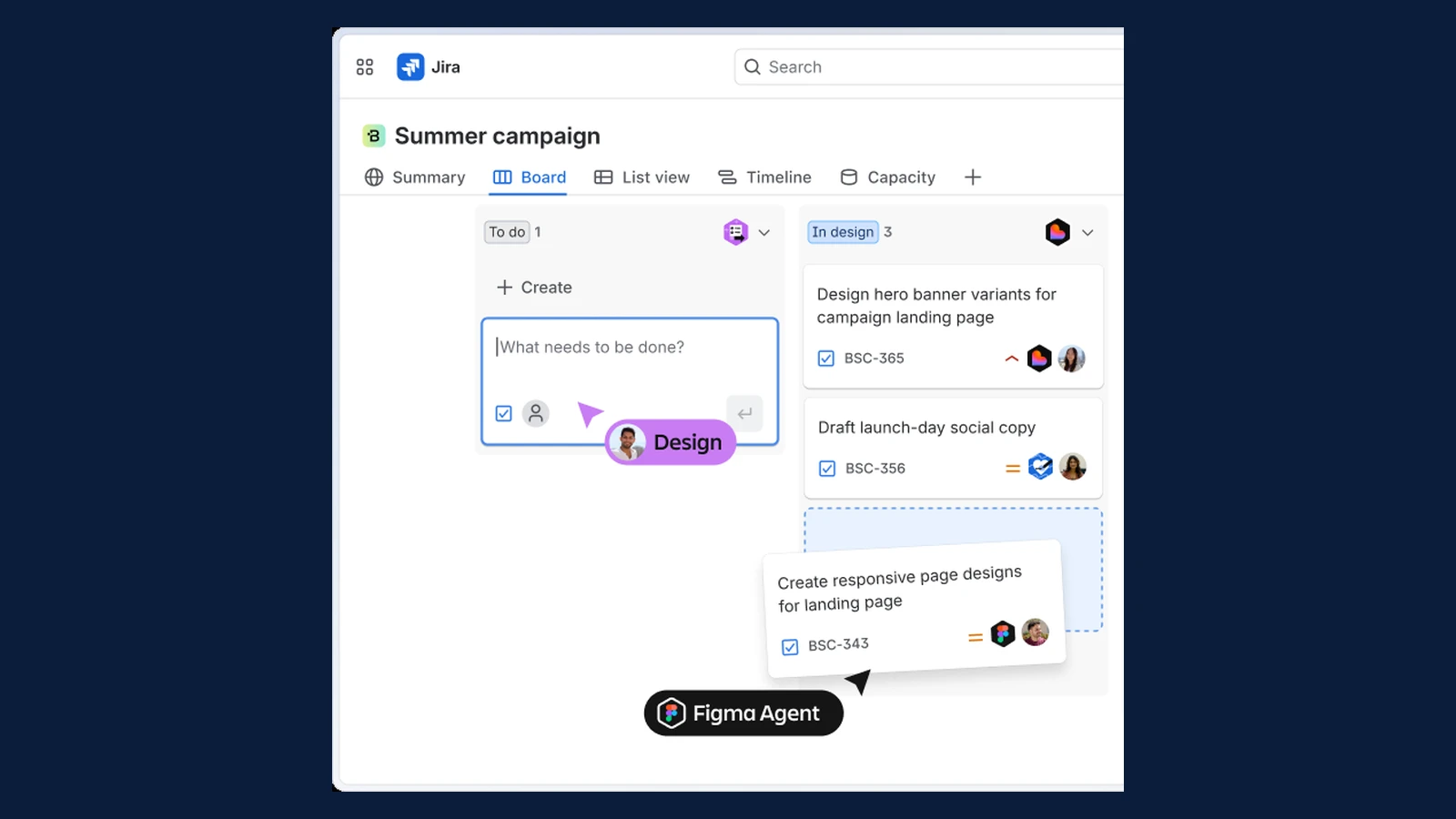 Figure 9. Work items on a Jira board, cropped to two columns. Source: image by Atlassian (atlassian.com).
7. Notion
Best for: teams whose meeting notes already live in Notion and who are on the Business plan.
AI Meeting Notes records system audio and the microphone in Notion's desktop app when you type /meet, and its summary names key points and action items. Follow-up tasks go into a database where a Person property holds the owner and a Date property the deadline. Repeating templates create the same meeting page or task on a schedule (Notion: AI Meeting Notes, database properties, repeating templates).
- Free plan: for individuals; pages and blocks are limited once 2 or more members share a workspace (Notion).
- Price: Plus $10 and Business $20 per member per month billed yearly (Notion).
- Limit: AI Meeting Notes needs the Business or Enterprise plan; Free and Plus get a limited trial of Notion AI (Notion).
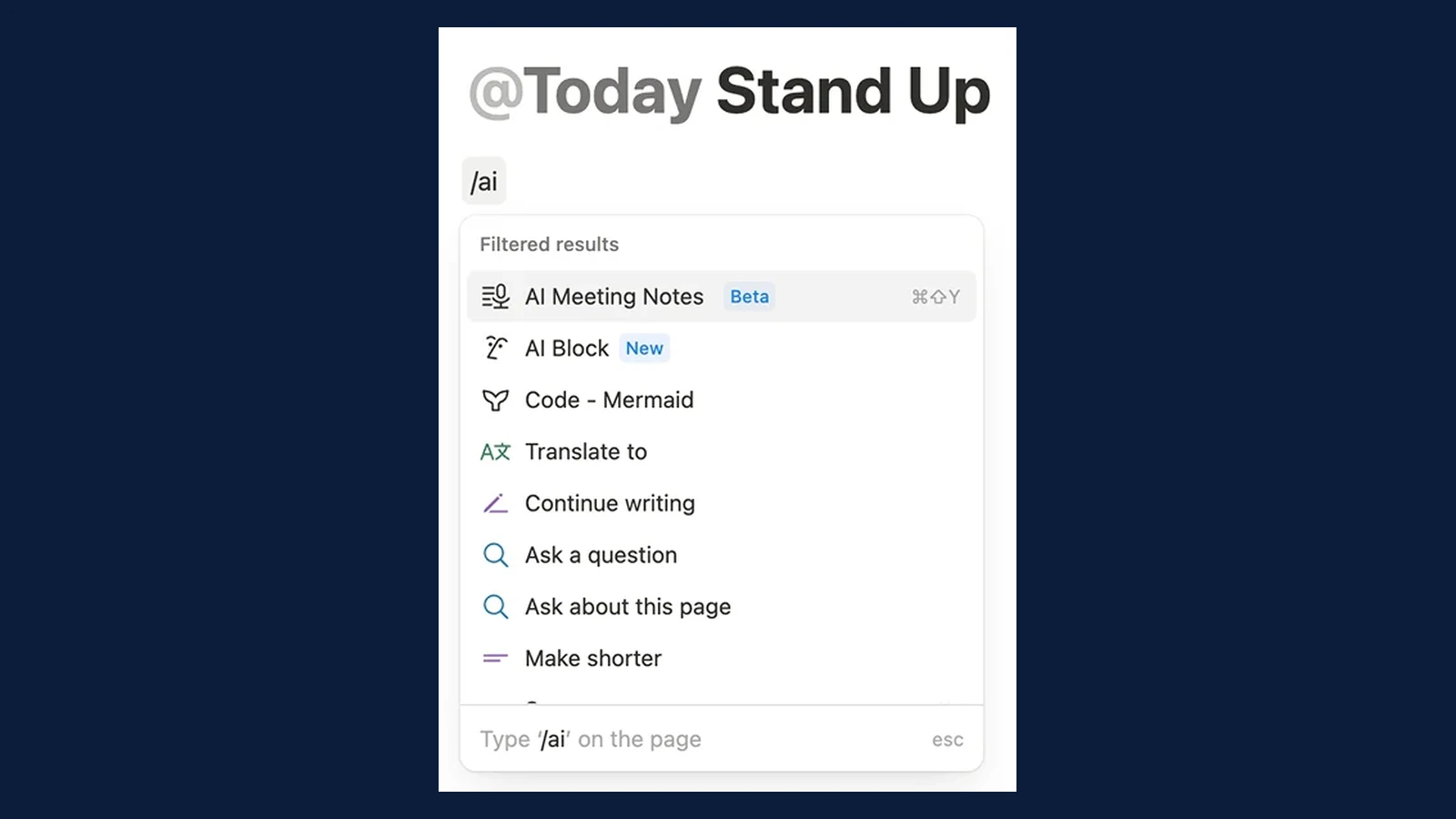 Figure 10. Starting AI Meeting Notes on a stand-up page, cropped to the menu. Source: image by Notion (notion.com).
How to choose
Start from team size and from who writes the tasks after the call (GoodDay, Trello, Jira).
- A team of up to 15 with no budget: GoodDay's free plan covers 15 members; Trello and Jira cover 10 (GoodDay, Trello, Atlassian).
- You want meeting notes and tasks in one place at the lowest price: GoodDay Professional at $4 per user per month (GoodDay).
- You want the tool to write the tasks from the call: Asana Advanced, monday.com Standard or Notion Business, or ClickUp on AI credits (Asana, ClickUp).
- No notetaker should join the call: ClickUp's and monday.com's notetakers join as participants; Notion records from the desktop app (ClickUp, monday.com, Notion).
- The action items are engineering work: Jira, with the notes in Confluence (Atlassian).
Key numbers
- If-then plans that state when and how to act raised goal attainment with an effect of d = .65 across 94 independent tests, in a 2006 meta-analysis of individual goals (Gollwitzer & Sheeran, 2006).
- GoodDay's free plan covers up to 15 members, and its Professional plan costs $4 per user per month billed annually, as of November 2026 (GoodDay).
- Asana's AI Meetings, which turns action items into suggested tasks, needs the Advanced plan at $24.99 per user per month billed annually, as of November 2026 (Asana).
- ClickUp's AI Notetaker uses 180 AI credits per meeting hour, and the free plan includes 500 trial credits per workspace, as of November 2026 (ClickUp).
- Notion's AI Meeting Notes requires the Business or Enterprise plan, as of November 2026 (Notion).
How we checked
Every price, free-plan limit and feature above was read on the vendor's own pricing, feature or help page on 2026-11-12; the pages are listed under Sources. Plan comparison tables were opened in a browser and read row by row, including the cells that show a tick icon instead of text. monday.com's pricing page showed euros for our region, so the dollar prices come from monday.com's own pricing article, which lists the same figures. Jira's price depends on team size; we set it to 10 users with monthly billing, the page's default being 300 users (Atlassian). The ClickUp hours are our arithmetic: 500 trial credits ÷ 180 credits per hour = 2.8 hours (ClickUp). Product images come from each vendor's site and are credited under them; Figures 1 and 2 use a demo client call written for this blog, and its people are fictional (demo notes).
FAQ
What is the best free tool to track meeting action items?
For a team of up to 15, GoodDay's free plan has the most members of the seven, with unlimited projects and tasks. Trello and Jira are free for up to 10 people (GoodDay, Trello).
Which project management tools turn meeting notes into tasks?
GoodDay (Meetings module, Professional), Asana (AI Meetings, Advanced), ClickUp (AI Notetaker, AI credits), monday.com (AI notetaker, Standard) and Notion (AI Meeting Notes, Business). Trello and Jira have no such feature (Asana, Notion).
Do these tools put a bot in my meeting?
ClickUp's AI Notetaker joins as an attendee, and monday.com's joins as a guest the host must admit. Notion's AI Meeting Notes records from its desktop app instead (ClickUp, monday.com, Notion).
What should a meeting action item include?
A task that starts with a verb, one owner and a due date. The owner and the date turn an intention into a plan that says when and how to act (Gollwitzer & Sheeran, 2006).
How do I keep action items from a recurring meeting?
Use one list for the meeting and open it at the start of each session. Asana and ClickUp have recurring tasks on every plan, and Notion repeats a meeting template on a schedule (Asana, Notion).
Sources
- Gollwitzer, P. M. & Sheeran, P. — Implementation intentions and goal achievement: a meta-analysis of effects and processes, Advances in Experimental Social Psychology 38 (2006). Accessed 2026-11-12.
- GoodDay — Pricing, Meetings, Action Required, Features, Integrations (2026). Accessed 2026-11-12.
- Asana — Pricing, AI Meetings, Tasks (2026). Accessed 2026-11-12.
- ClickUp — Pricing, AI Notetaker (2026). Accessed 2026-11-12.
- ClickUp Help Center — Use AI Notetaker to take meeting notes, AI Notetaker feature availability and limits, Recurring tasks (2026). Accessed 2026-11-12.
- monday.com — Pricing, How much does monday.com cost (2025), AI notetaker (2026). Accessed 2026-11-12.
- monday.com Support — AI Notetaker, How to assign tasks to your teammates (2026). Accessed 2026-11-12.
- Trello — Pricing, Automate anything, Tour (2026). Accessed 2026-11-12.
- Atlassian Support — Adding dates to cards, Add the due date field, Schedule work items creation with Jira Cloud automation (2026). Accessed 2026-11-12.
- Atlassian — Jira pricing, Use Jira and Confluence together (2026). Accessed 2026-11-12.
- Notion — Pricing, AI Meeting Notes, Database properties, Repeating database templates (2026). Accessed 2026-11-12.
Still comparing tools?
See how MeetWave stacks up against the tools most teams evaluate alongside it.
- MeetWave vs Otter AISee how MeetWave compares to Otter AI for meeting intelligence
- MeetWave vs Fireflies.aiSee how MeetWave compares to Fireflies.ai for meeting intelligence
- MeetWave vs tl;dvSee how MeetWave compares to tl;dv for meeting intelligence
More on this: Meeting minutes template