How to Take Minutes: What to Write Down, What to Summarize, What to Skip
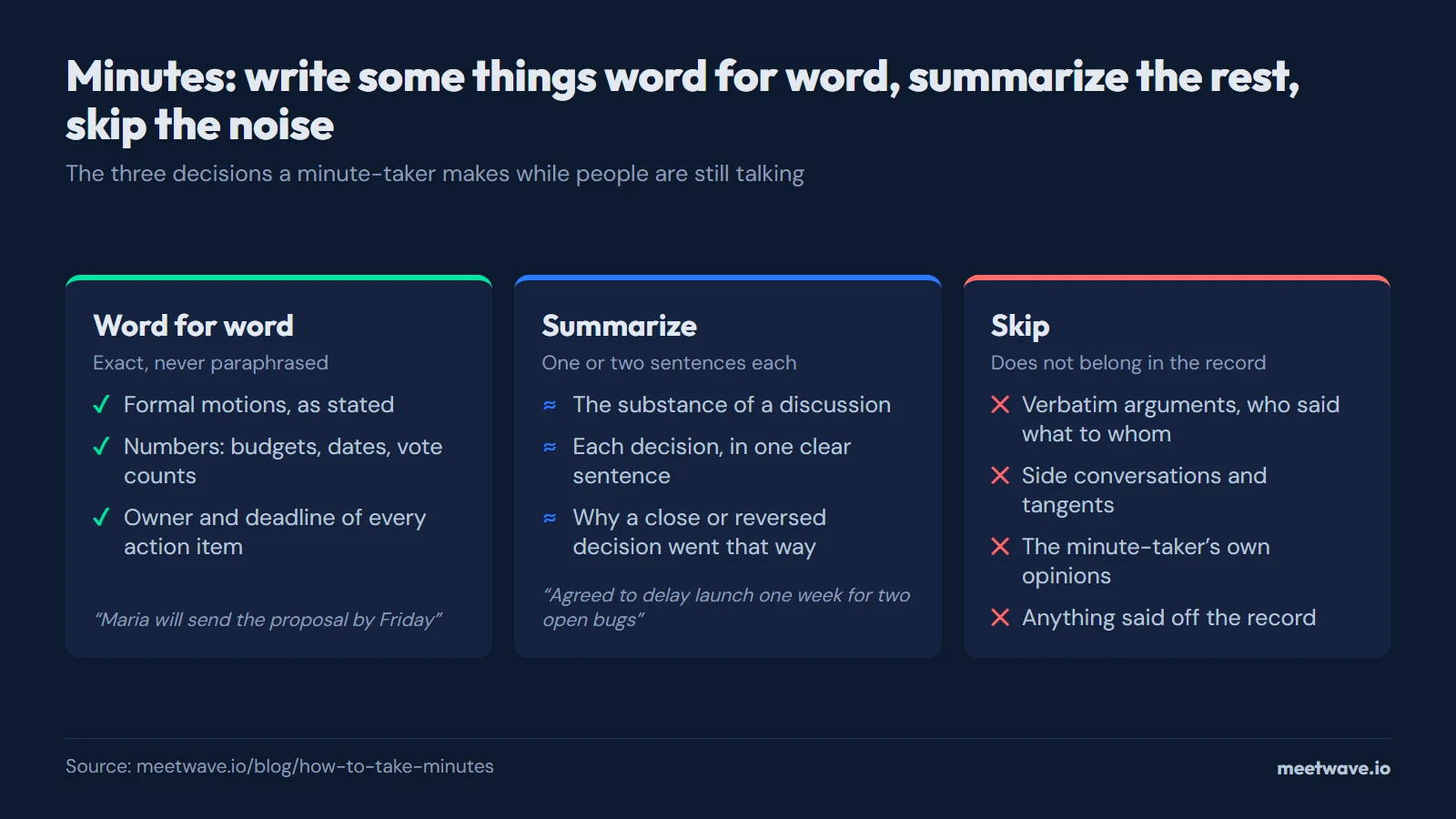
Minute taking is a real-time filtering job: deciding, while people are still talking, what belongs in the permanent record and what doesn't. Most bad minutes fail because the note-taker either tries to capture everything and falls behind, or captures too little to be useful. This guide covers exactly what to write verbatim, what to summarize, and what to skip entirely.
How to Take Minutes
Most meetings can be captured with the same seven fields, set up before the meeting starts:
- Date, time, attendees — fill in as people join.
- Agenda items — copy from the agenda you already have.
- Discussion notes — one to three sentences per agenda item, added as the topic wraps up, not while it's happening.
- Decisions made — one clear sentence per decision.
- Action items — task, owner, and due date, captured the moment someone commits to something.
- Next meeting date — confirm before people leave.
- Additional notes — anything that does not fit the above but is worth keeping.
Writing the discussion notes for an item right after that agenda item ends, rather than at the very end of the meeting, is the single most effective habit for keeping minutes accurate — memory of specifics fades within minutes of moving to the next topic.
Before the Meeting
Get the agenda in advance. Minutes are far easier to take when you know what topics are coming, because you can set up a section for each one before the meeting starts rather than trying to structure notes in real time.
Confirm who is taking minutes before the meeting begins. In informal meetings this often goes undecided until someone is put on the spot — sort it out first, ideally with the same person taking minutes consistently across a recurring meeting so the format stays consistent.
Have a template ready. Whether it's a document with headers already in place or the meeting minutes template generator open in a browser tab, starting from a blank page during a live meeting is how details get missed.
What to Write Down Word for Word
Almost nothing needs to be verbatim, but a short list of items are exceptions:
- Formal motions. If a group is voting on something, the exact wording of the motion matters — write it down as it is stated, not as you interpret it.
- Numbers. Budget figures, dates, percentages, and vote counts should be recorded exactly as stated. Paraphrasing a number is how minutes end up with a different figure than what was actually agreed.
- Names of owners and deadlines for action items. "Someone will follow up soon" is not minutes — "Maria will send the proposal by Friday" is. Capture the name and the date precisely.
What to Summarize
Everything else in the discussion should be summarized, not transcribed:
- The substance of a discussion. Instead of recording every point made, capture the position each side took and why, in a sentence or two. "The team discussed whether to delay the launch; marketing preferred to hold the date, engineering flagged unresolved bugs" tells a reader everything they need without a transcript.
- Decisions. State what was decided in one clear sentence: "The team agreed to delay launch by one week to address the two open bugs." Avoid vague language like "there was general agreement to move forward" — write down the actual decision.
- Context for a decision, if it matters later. If a decision was close, controversial, or reverses an earlier one, a short note on why helps anyone reading the minutes months later understand the reasoning without needing to remember the conversation.
What to Never Write Down
- Verbatim arguments or who said what to whom. Recording a back-and-forth in detail, or attributing informal or heated remarks to specific people, creates a document that reads more like a transcript of a conflict than a record of a decision. It also makes the document harder for anyone to rely on later.
- Side conversations and off-topic tangents. If the group drifts off the agenda for five minutes, that time does not need documentation unless it produced a decision or action item.
- Personal opinions of the minute-taker. Minutes report what happened in the room, not what the person writing them thinks about it.
- Anything said in a portion of the meeting explicitly marked confidential or off the record, beyond noting that such a discussion occurred and its general subject, if even that much is appropriate for your context.
After the Meeting
Review your notes within the hour if possible, while the discussion is still fresh enough to fill in any gaps. Clean up shorthand, confirm spellings of names, and check that every action item has both an owner and a date — an action item with no owner rarely gets done.
Share the minutes promptly. Minutes that sit in a draft folder for a week lose most of their value as a record anyone can act on immediately.
Using a Template Instead of Starting From Scratch
The structure above matches the meeting minutes template generator on this site — open it before your next meeting, pick a preset, and fill in the fields live instead of building a document from a blank page. For a fully worked example with every section explained, see a board meeting minutes example. If you are unsure whether to write "minutes of meeting" or "meeting minutes" on your document, both are correct — see the minutes of meeting guide for the difference.
Frequently Asked Questions
What is minute taking?
Minute taking is the practice of recording the official summary of a meeting as it happens: attendees, agenda, discussion, decisions, and action items. It is a real-time editing task — deciding what belongs in a permanent record while the conversation is still moving, rather than a transcription task.
How do I take minutes of a meeting if I am not a fast typist?
Set up your template before the meeting so you are filling in fields rather than typing free-form. Focus on capturing decisions and action items precisely, since those are the parts people will actually check later — discussion notes can be a short phrase rather than a full sentence if you are behind, and you can flesh them out immediately after the meeting while your memory is still fresh.
Should minutes be written in the past or present tense?
Minutes are almost always written in the past tense, since they document something that already happened by the time anyone reads them: "The team discussed the budget" rather than "The team discusses the budget."
What is the difference between minutes and a meeting summary?
Minutes are a structured, often formally distributed record following a consistent format meeting after meeting — attendees, agenda, decisions, action items. A meeting summary can be less formal and more narrative, written for a specific audience rather than as an ongoing official record. Many teams use the two terms interchangeably for informal meetings, reserving strict "minutes" formatting for board or governance meetings.
Can I record a meeting instead of taking minutes manually?
Yes — recording the audio and generating a transcript solves the problem of missing details, but it does not replace minutes, which are a structured summary rather than a raw transcript. Tools like MeetWave can record a meeting locally and generate structured minutes automatically, which removes the real-time note-taking burden while still producing a proper summary rather than a wall of transcript text.
Still comparing tools?
See how MeetWave stacks up against the tools most teams evaluate alongside it.
- MeetWave vs Otter AISee how MeetWave compares to Otter AI for meeting intelligence
- MeetWave vs Fireflies.aiSee how MeetWave compares to Fireflies.ai for meeting intelligence
- MeetWave vs tl;dvSee how MeetWave compares to tl;dv for meeting intelligence
More on this: Meeting minutes template







